How to Open a Jeep Key Fob
As an Amazon Associate we earn from qualifying purchases.
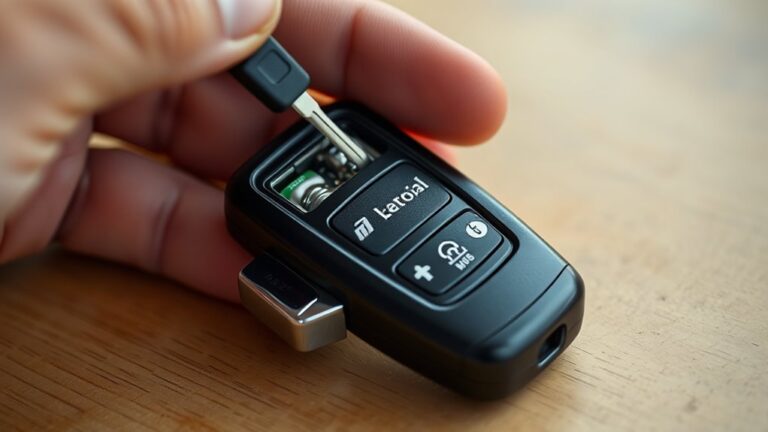
If your Jeep key fob battery dies in a parking lot, you’ll need to open your Jeep key fob without cracking the shell. You can start by finding the seam and the molded release notch, then use a coin or flat tool to apply gentle twist pressure.
Keep the halves aligned as you separate them, because the clips can break fast. The next step depends on whether you spot corrosion inside.
Key Takeaways
- Inspect the fob seam under strong light to find the release point or molded notch.
- Hold the buttons facing up, then insert a coin or small flat tool into the seam.
- Twist gently to separate the halves; do not force the housing or clips.
- Use a plastic spudger or similar nonmetal tool to lift the battery straight out.
- Reassemble by aligning the tabs, snapping the halves together, and testing the buttons.
Locate the Release Point
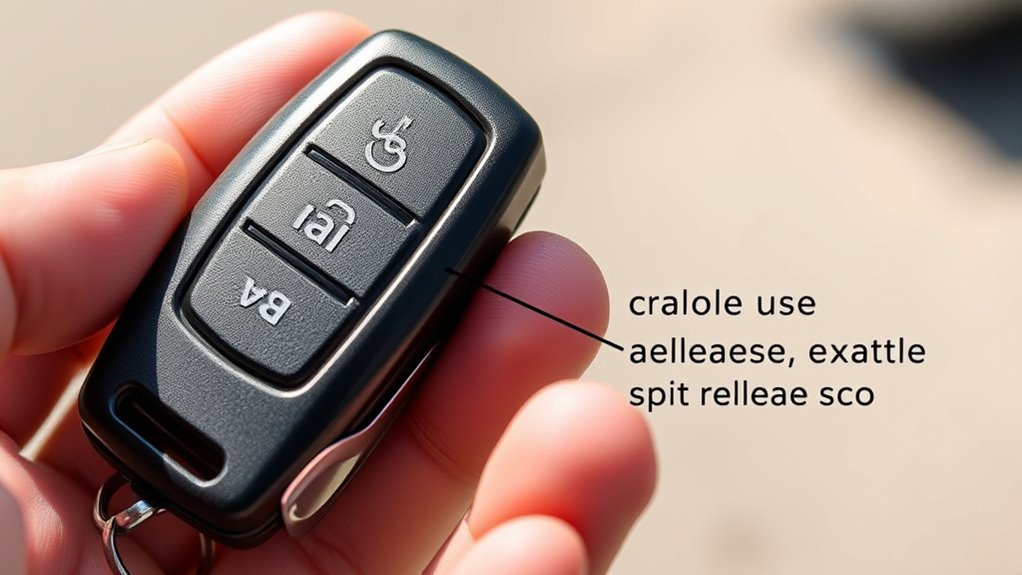
Before you pry the key fob open, find the release point on the seam or edge of the case. You should inspect the perimeter under strong light and rotate the fob until you spot a molded notch, split line, or slight flex point. That location usually indicates where the housing separates cleanly.
If the seam looks uniform, check for a small mechanical catch near the emergency key area. Use disassembly ethics: work only on your own fob, and avoid forcing parts that don’t belong to you. Keep tool safety in mind by stabilizing your grip and clearing the work area so you don’t slip or damage the shell.
Once you confirm the release point, mark it mentally and proceed with controlled pressure.
Use a Coin or Flat Tool
Use a coin or a thin flat tool to start separating the seam at the release point you identified. Hold the fob firmly, then insert the edge only a few millimeters to avoid damaging the casing.
Use a coin or thin flat tool to gently open the seam, inserting only a few millimeters.
Apply steady, controlled pressure and twist slightly until you feel the clip give. Keep the tool aligned with the seam so you don’t slip and scratch the plastic or mar the internal contacts.
If the fob resists, reposition the coin rather than forcing it. How to safety matters here: wear eye protection if needed and work over a clean surface so small parts don’t bounce away.
Once opened, prepare for proper Battery disposal according to local electronic waste rules.
Separate the Fob Halves
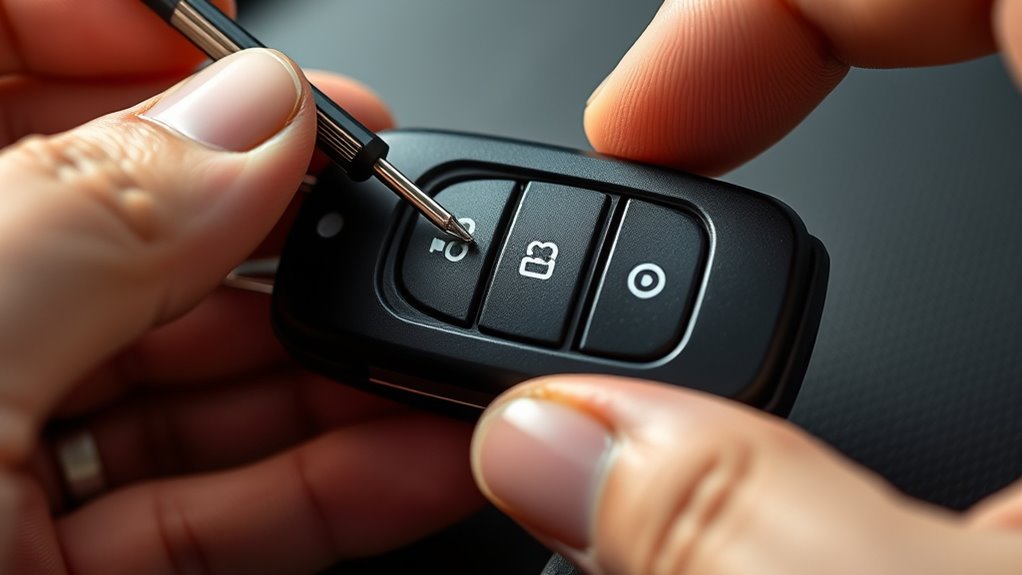
Locate the release seam around the key fob casing, where the two halves meet. Insert the coin or flat tool into the seam and pry gently until the halves begin to separate.
Keep both halves aligned as you work to avoid damaging the clips or internal components.
Locate Release Seam
Feel around the edge of the Jeep key fob for the narrow seam where the two halves meet, since that joint marks the release line. Rotate the fob slowly and inspect the perimeter under good light, because the seam can blend with the housing texture.
You’re looking for a consistent split, not a decorative groove or button outline. Keep your focus on the shell only; any unrelated topic or irrelevant discussion about battery type, key programming, or vehicle settings won’t help here.
Once you identify the seam, note where it widens slightly at one end, since that spot often indicates the best starting point for separation. Hold the fob steady and confirm the seam runs continuously before you move to the next step.
Pry Gently Apart
Insert a thin plastic pry tool into the widest point of the seam and twist it slightly to begin separating the two halves. Apply steady, controlled pressure, and let the tool work along the edge rather than forcing one spot.
You should feel the clips release one by one as the shell opens. Keep your grip firm so the fob doesn’t slip, and stop if resistance increases sharply. Use only enough force to preserve the aesthetic design and material durability of the housing.
If the gap widens unevenly, ease back and continue from a different point on the seam. Once the halves start to separate, maintain a shallow angle and move deliberately until the shell opens cleanly.
Keep Halves Aligned
As the shell begins to open, keep both halves aligned so the clips release evenly and the hinge edge stays seated. You should maintain steady pressure at the seam while lifting only enough to free each latch.
Don’t twist the case; rotation can shear the tabs or crack the housing. Instead, slide the top half away in a straight path, watching for any resistance points that indicate a remaining clip.
This method helps you identify compatibility between your pry point and the fob’s internal layout, and it reveals design implications of the shell shape. If one side binds, stop and realign before continuing.
Once the halves separate, set them face down to protect the buttons, circuit board, and battery contacts from contamination and impact.
Remove the Battery Without Damage
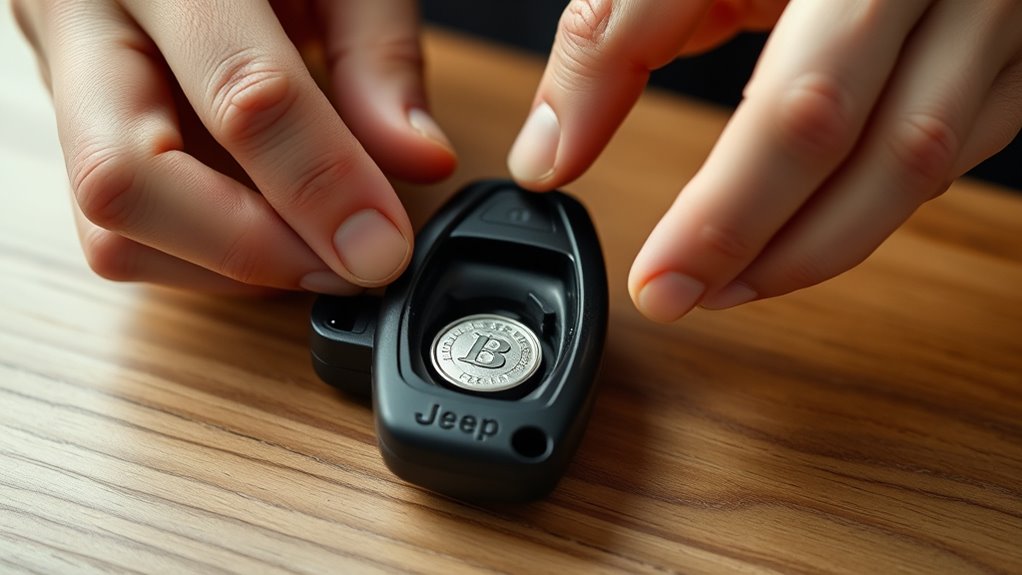
Before you pry the battery free, note its orientation and locate the retaining tab or edge notch so you can lift it out without bending the contacts. Use a plastic spudger, guitar pick, or other nonmetallic tool; these tool alternatives reduce the risk of shorting the cell and support battery safety.
Apply gentle upward pressure at the exposed edge, then slide the battery clear instead of twisting it. If the cell sits under a clip, depress the clip just enough to release it, then lift straight out.
Keep your grip on the casing, not the contact springs, and avoid scraping the board. Set the battery aside on a clean, nonconductive surface and handle it only by its edges while you prepare the replacement.
Check for Damage or Corrosion
Inspect the key fob’s interior for cracked plastic, bent terminals, and any white or green corrosion on the battery contacts or circuit board. Use a bright light and magnification to check damage around solder joints, buttons, and the battery tray.
If you see residue, note the corrosion risk, because moisture intrusion can weaken conductivity and shorten service life. Clean minor buildup only with a cotton swab lightly dampened with isopropyl alcohol, then let the parts dry completely.
If terminals are bent, align them carefully with a nonmetallic tool. Do not scrape traces or apply force to brittle plastic. Any deep cracking, burned spots, or pitted contacts means you should replace the damaged component before reassembly to avoid intermittent operation.
Snap the Fob Back Together
Align the two fob halves carefully, making sure each edge and internal tab matches its mate. Press the shell together evenly until you hear or feel it snap into place.
Then test the seam with light pressure to confirm the closure is secure.
Align Fob Halves
Now that you’ve replaced the battery or finished the repair, line up the two fob halves so the internal buttons and circuit board sit correctly in their slots. Hold the shell edges evenly and verify the rubber button pad hasn’t shifted.
Check that the battery sits flat, with the correct polarity, and that no wires, clips, or gasket edges protrude from the housing. If you handled a damaged cell, practice safety and follow proper battery disposal before closing the fob.
Match the key ring opening and seam tabs, then bring the halves together with steady pressure to keep the internals aligned. Inspect the seam all the way around to confirm the plastic contours meet flush and the halves remain centered before you finish reassembly.
Press Until Snapped
Press the two fob halves together evenly along the seam until you hear or feel the clips snap into place. Keep the edges aligned so the case seats squarely and the shell doesn’t pinch the internal components.
Apply firm, direct pressure with both thumbs, working around the perimeter if one side resists. Do not force the housing at an angle, since that can distort the latch tabs.
Once the seam closes flush, you’re complete with the opening sequence and can store the battery disposal materials separately if you removed the old cell. Maintain pressure only until the halves lock; then release your grip and inspect the seam for uniform contact.
A properly snapped fob should feel solid, with no visible gap along the joint.
Test Secure Closure
To verify a secure closure, run a quick seam check after you snap the fob back together. Inspect the perimeter for gaps, then press along each edge until the halves sit flush.
If one side lifts, reopen it and realign the clips before you continue. A weak lock can let the cheap battery shift, interrupt contact, or trigger a missed signal.
Test the buttons with firm taps to confirm they click cleanly and don’t bind.
- Check every seam for uniform contact.
- Press each corner until it resists movement.
- Verify button travel and tactile response.
- Confirm the fob transmits without needing a reset code.
Test the Fob After Opening
Once the Jeep key fob is open, test its components before you reassemble it. Inspect the circuit board for loose contacts, corrosion, or cracked solder joints, then verify the battery sits firmly in its holder after battery replacement.
Test the circuit board and battery fit carefully before reassembling the Jeep key fob.
Press each button and confirm the lock, unlock, and panic signals transmit normally. If the LEDs don’t flash or the range seems weak, clean the contact points and reseat the battery.
During the opening case process, avoid touching the board with metal tools, since static or accidental shorts can damage it. Check that the rubber buttons align properly and return smoothly.
If the fob responds inconsistently, replace the battery again or inspect for internal wear before closing the shell.
How to Open a Jeep Key Fob
If the fob tested correctly but you still need access to the battery, start by opening the Jeep key fob at the seam in the shell. Hold the fob with the buttons facing up, then insert a small flat tool into the gap. Twist gently until the halves separate; don’t force it, or you may damage clips and increase side effects like a cracked housing.
- Locate the seam.
- Pry at one end.
- Lift the cover evenly.
- Set the shell aside.
Keep pressure controlled so the circuit board stays seated. If your model has a hidden emergency key, remove it first. Avoid metal tools near contacts, since scratches can affect fit and create warranty impact.
Frequently Asked Questions
What Jeep Key Fob Models Use Different Opening Methods?
You’ll find different opening methods on Jeep key fob models with integrated mechanical keys, smart key fob models, and older remote-entry models.
You’ll usually pry, slide, or release latches differently, depending on the case design.
Can I Open a Jeep Key Fob Without Scratching It?
Yes, you can open it without scratching it if you use careful opening with a plastic pry tool, not metal.
Check battery compatibility before resealing, and you’ll protect the housing while replacing the cell.
How Do I Identify the Correct Battery Type?
You’ll identify the correct battery by checking the fob’s model number, then matching batteries to your Jeep’s specifications. Remove the old cell, read its code, and confirm identifying batteries with matching models before buying.
What Should I Do if the Fob Won’T Snap Shut?
You should reseat the battery and gasket, then align the halves and press firmly until they click. If it still won’t close, check battery orientation, remove debris, and try how to reset fob; common battery types matter.
Where Can I Get a Replacement Jeep Key Fob Battery?
You can get a replacement battery at auto parts stores, electronics retailers, Jeep dealerships, or service centers.
Check your fob’s battery type first, then buy the exact replacement battery and install it carefully.
Conclusion
Now you can open your Jeep key fob safely and with control. Find the seam, use a coin or flat tool, and twist gently to separate the halves without stressing the clips. Remove the battery carefully, then check for corrosion or damage before snapping the shell back together.
Finally, test the fob to confirm it works. Don’t force it—treat the fob like a tiny lockbox from the future. Following these steps ensures you can open a Jeep key fob smoothly and maintain its functionality.