What Is Ford Copilot 360
As an Amazon Associate we earn from qualifying purchases.
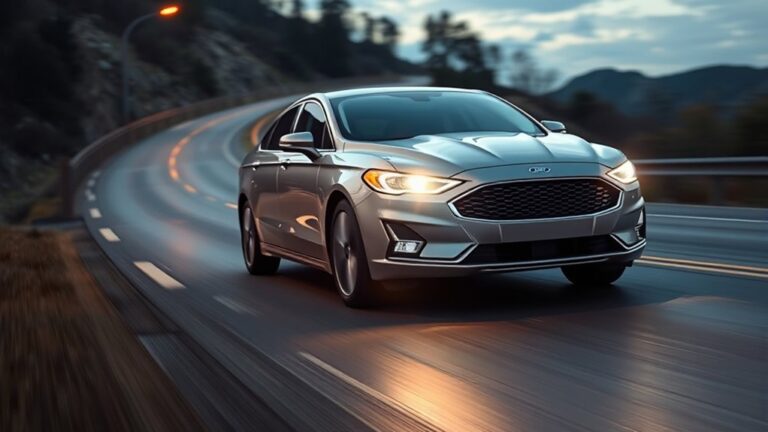
If you’re looking at a Ford, Co-Pilot360 is the brand’s driver-assist package that helps you stay aware and make routine driving easier.
You’ll often find features like a rearview camera, blind-spot alerts, lane-keeping support, and automatic emergency braking, with more advanced tools on some trims.
It can improve confidence behind the wheel, but it doesn’t take over for you, and the details vary more than you might expect.
Key Takeaways
- Ford Co-Pilot360 is Ford’s suite of driver-assist technologies designed to help drivers stay aware and drive more easily.
- It supports driving with features like automatic emergency braking, blind spot monitoring, rearview camera, and lane-keeping assist.
- Co-Pilot360 helps with hazards, parking, blind spots, and lane control, but it does not replace driver attention or control.
- Features and availability vary by Ford model, trim, year, and package, with some systems standard and others optional.
- Co-Pilot360 Assist adds more advanced convenience and navigation features than the standard Co-Pilot360 package.
What Is Ford Co-Pilot360?

Ford Co-Pilot360 is Ford’s suite of standard and available driver-assist technologies designed to help you stay aware of your surroundings and make driving easier. You can think of it as a collection of systems that support, rather than replace, your driving.
As a new driver, you may find that these tools help you build confidence in busy traffic, tight parking spaces, and changing road conditions. The system relies on cameras and sensors, so it needs clear visibility to work properly.
Weather, dirt, or sensor failures can limit performance, which is why you should still stay alert and use your own judgment. Ford designs Co-Pilot360 to add awareness and convenience, while keeping you responsible for safe operation.
Ford Co-Pilot360 Features and What They Do
What features does Ford Co-Pilot360 include, and how do they help on the road? You get a suite of driver-assist tools designed to support awareness and reduce workload. Standard items often include a rearview camera, automatic emergency braking, blind spot information with cross-traffic alert, lane-keeping support, and auto high-beam headlamps.
Some models add adaptive cruise control, evasive steering assist, and parking aid systems. These features don’t drive for you; they help you detect hazards, stay centered, and manage low-speed maneuvers. That can improve driving ergonomics by reducing strain during longer trips and busy traffic.
For many buyers, the cost benefit comes from getting useful safety technology without moving to a higher trim or luxury package.
How Co-Pilot360 Helps in Daily Driving
On your daily drive, Co-Pilot360 helps take some of the pressure off by adding extra eyes and quick responses when traffic gets busy. You can use it to support lane keeping, blind-spot awareness, and braking alerts when conditions change fast.
That extra support may reduce driving distraction, especially in stop-and-go traffic, parking lots, and tight merges. You still stay responsible for steering, monitoring the road, and making final decisions, so the system works best as a backup rather than a replacement for your attention.
It can help you react sooner to hazards and keep more consistent spacing, but you should understand system limitations, including weather, road markings, and sensor visibility. Used correctly, it adds confidence without changing your role behind the wheel.
Co-Pilot360 vs. Co-Pilot360 Assist?
Co-Pilot360 and Co-Pilot360 Assist both add driver-assistance features, but Assist usually includes a broader set of convenience and guidance tools. If you’re comparing co pilot360 vs assist, focus on the co pilot360 differences in scope, not just safety basics.
| Feature group | Co-Pilot360 | Co-Pilot360 Assist |
|---|---|---|
| Core alerts | Yes | Yes |
| Convenience tools | Limited | Expanded |
| Navigation support | Basic | Stronger |
You’ll usually get standard monitoring and warning functions with both packages, while Assist adds extra help that can make trips easier and less stressful. That means you’re not just choosing between more or less safety; you’re choosing how much support you want behind the wheel. The co pilot360 vs assist decision comes down to your driving priorities.
Which Ford Models Include Co-Pilot360?
Across Ford’s lineup, Co-Pilot360 appears on many models, but availability depends on the vehicle, trim, and package. You’ll often find it on popular nameplates like Escape, Explorer, Bronco Sport, Edge, Mustang Mach-E, F-150, Maverick, and Ranger, plus some larger SUVs and vans.
Ford usually pairs it with driver-assist features such as automatic emergency braking, blind spot alerts, and lane-keeping support. Exact equipment can vary, so you should check the specific build sheet for each model.
That matters because ford copilot360 limitations can affect what you get, especially on lower trims or older model years. You should also consider sensor accuracy, since cameras and radar work best when conditions are clear and properly maintained.
Is Co-Pilot360 Standard or Optional?
You’ll find that Ford Co-Pilot360 can be standard on some models and optional on others, depending on the vehicle and trim. Higher trims often include more of the system’s features as standard equipment, while lower trims may offer them as add-ons.
Standard vs Optional
Ford’s Co-Pilot360 isn’t always standard, and its availability depends on the model, trim level, and package you choose. You may get core safety tech included on some vehicles, while others require an upgrade.
That means you should check the exact build sheet before you assume a feature is part of the base price. Co-Pilot360 can help reduce driving fatigue by supporting attention in traffic and on longer trips. It can also make urban parking easier with cameras and alerts that improve awareness in tight spaces.
Because equipment varies, you’ll want to compare listings carefully and confirm what’s included. In short, Co-Pilot360 is standard on some Ford models and optional on others, so your final answer depends on the specific vehicle you’re shopping.
Trim-Level Availability
Trim levels play a big role in whether Co-Pilot360 comes standard or costs extra. You’ll often find it included on higher trims, while entry-level models may offer it as an upgrade or package.
That means you should always check the exact vehicle and model year, because Ford features can vary widely across the lineup. You might assume every Ford includes the same safety tech, but that’s one of the most common customer misconceptions.
Some models make Co-Pilot360 standard across most trims, while others reserve it for select versions. If you’re comparing vehicles, review the equipment list and ask whether the system is standard, optional, or bundled with another package.
That quick check helps you avoid surprises and choose the trim that fits your needs.
Ford Co-Pilot360 Limitations to Know
Ford Co-Pilot360 can help you, but its sensors and cameras still have limits. Poor weather, glare, dirt, or blocked views can reduce how well the system works.
You should treat it as a driver-assistance tool, not a replacement for your attention or control.
Sensor And Camera Limits
Even the best driver-assist systems have limits, and Co-Pilot360 depends on cameras and sensors that can be affected by weather, lighting, road markings, and dirt or debris on the vehicle. You should understand these sensor limitations when you rely on lane keeping, braking support, or blind-spot alerts.
If lane lines are faded, missing, or poorly defined, the system may struggle to interpret your surroundings. Bright glare, low contrast, or reflective surfaces can also trigger camera saturation and reduce detection accuracy.
Sensors can’t replace your own checks, so you need to stay alert, scan mirrors, and confirm that conditions make sense. Keep the windshield, grille, and sensor areas clean, and treat alerts as assistance, not a guarantee.
Weather And Visibility Effects
Bad weather can cut Co-Pilot360’s effectiveness, especially when rain, snow, fog, or heavy spray blocks camera views or weakens sensor readings. You may notice more weather limitations when road markings fade under slush, glare, or mist, because the system relies on clear visual input.
Visibility challenges also increase at dawn, dusk, or during abrupt weather changes, when contrast drops and reflections confuse detection. In these conditions, Co-Pilot360 can still function, but it may respond less consistently than it does in clear weather.
You should keep your expectations realistic and stay attentive to the driving environment, since the system performs best when lanes, signs, and nearby vehicles remain easy to see.
Driver Assistance Boundaries
Co-Pilot360 helps with awareness and control, but it doesn’t replace your judgment or hands-on driving. You still need to steer, brake, and monitor traffic because the system supports you, not drives for you.
Features like lane keeping, blind spot alerts, and adaptive cruise control work within set limits, and you should expect gaps in complex roads, sharp curves, road debris, or sudden cut-ins. You can’t treat alerts as guarantees.
If a sensor gets blocked or conditions change fast, performance can drop. An unrelated topic or off topic comparison won’t change that basic rule: driver assistance has boundaries.
Stay attentive, keep your hands ready, and use each feature as a tool, not a substitute for responsible driving.
Is Ford Co-Pilot360 Worth It?
Whether Ford Co-Pilot360 is worth it depends on how much you value added driver-assistance features and everyday peace of mind. If you often drive in traffic, park in tight spaces, or want extra help watching blind spots, the package can feel worthwhile.
When you ask is ford co pilot360 worth it, consider the driver safety implications: features like automatic emergency braking and lane-keeping assist can help reduce certain mistakes, but they don’t replace your attention. You still need to stay engaged and drive responsibly.
For some buyers, the added confidence justifies the cost; for others, especially on a tight budget, it may be less compelling. Your driving habits, commute, and tolerance for tech should guide your decision.
Frequently Asked Questions
How Does Co-Pilot360 Affect Fuel Economy?
Co-Pilot360 doesn’t directly change your fuel economy; you’ll notice only indirect effects. How fuel efficiency improves depends on your driving, and weather impact can increase or reduce consumption more than these driver-assist features.
Can Co-Pilot360 Be Added After Purchase?
Yes, you can sometimes add Co-Pilot360 after purchase, but it depends on your vehicle’s hardware and software.
You’ll need a dealer to assess Co-Pilot360 installation options for a post-purchase upgrade.
Does Co-Pilot360 Work in Bad Weather?
Yes, you can use Co-Pilot360 in bad weather, though its weather performance can fade like fog over a road. You’ll face Co-Pilot360 limitations; rain, snow, and glare can reduce sensor accuracy and response.
Is Co-Pilot360 Available on Used Ford Vehicles?
Yes, you’ll find Co-Pilot360 on many used Ford models, depending on trim and year. You can check AI feature availability on used Ford vehicles, and installation options after purchase may vary by dealership and package.
How Much Does Co-Pilot360 Cost?
You’ll typically pay anywhere from $300 to $1,200 for Co-Pilot360, depending on trim and packages.
You get driving safety and technology integration features, but exact pricing varies by model, year, and options.
Conclusion
Ford Co-Pilot360 can make your drive feel more confident, but it’s not a shield from every hazard. You still stay behind the wheel, watching the road, while features like braking assist, blind-spot alerts, and lane support add a helpful layer of backup.
Like a modern lighthouse, it guides without steering the ship. If you want extra awareness and less stress, it’s worth considering—just remember that technology works best when you stay engaged.
For a safer and more assured driving experience, Ford Co-Pilot360 is a smart choice to keep in mind.


