What Is Ford Co Pilot 360
As an Amazon Associate we earn from qualifying purchases.

If you’re looking at Ford Co-Pilot360, you’re exploring a driver-assist suite designed to enhance safety and ease behind the wheel. This system uses cameras, sensors, and software to help you notice hazards and reduce driving strain.
It can warn you about lane drift, blind spots, and possible collisions, while keeping you in control. The real question is which features you get, how they behave in daily use, and where the system’s limits start to matter.
Key Takeaways
- Ford Co-Pilot360 is Ford’s suite of standard and available driver-assist safety technologies.
- It combines cameras, sensors, and software to help monitor road conditions and support driving.
- Features often include automatic emergency braking, blind-spot monitoring, lane-keeping alerts, and a rearview camera.
- It reduces driving workload in traffic, highways, and parking, while keeping the driver in control.
- Availability and features vary by model, trim, and package, and performance can be affected by weather or road conditions.
What Is Ford Co-Pilot360?
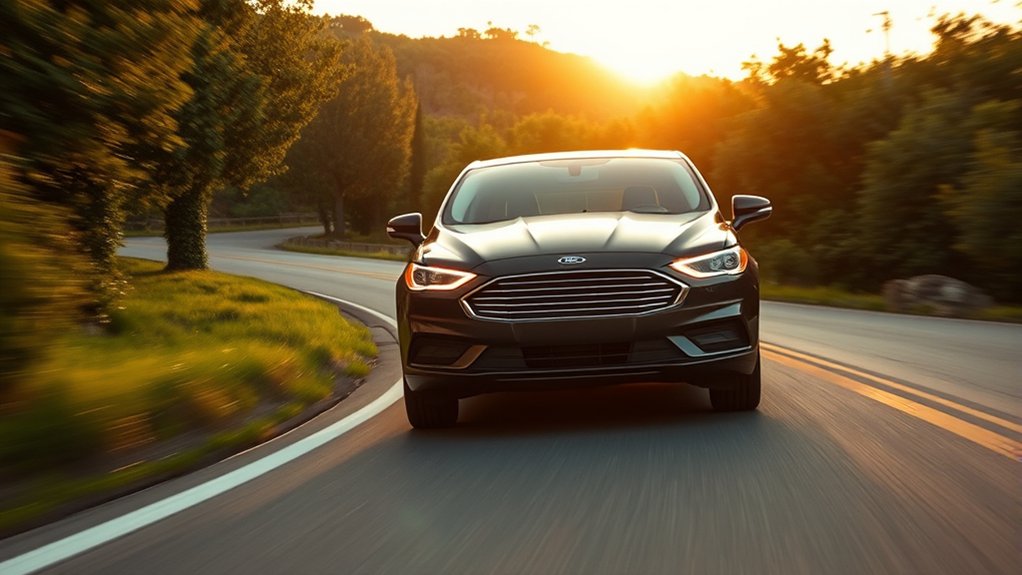
Ford Co-Pilot360 is Ford’s suite of standard and available driver-assist technologies designed to help you stay aware of your surroundings and reduce the stress of everyday driving. You can view it as an integrated safety platform that combines sensors, cameras, and software to monitor road conditions and support your driving decisions.
It helps you maintain control in varied environments, from congested streets to open highways, with a focus on urban integration and everyday usability. The system’s stability analytics process vehicle behavior and external inputs to improve responsiveness and consistency.
You don’t get autonomous driving, but you do get a coordinated set of tools that augment awareness, assist with maneuvering, and support safer operation. Its purpose is practical: to reduce workload while preserving your control.
Ford Co-Pilot360 Features Explained
Ford Co-Pilot360 combines core safety technologies such as automatic emergency braking, blind spot monitoring, and lane-keeping support to help you reduce collision risk.
You also get driver assistance tools that can improve awareness and control during routine driving, including rearview camera and parking support features. Depending on the model, you’ll find different Co-Pilot360 variations with added functions or expanded capability.
Core Safety Technologies
At its core, Co-Pilot360 bundles a set of driver-assist and crash-avoidance technologies that help you detect hazards, respond faster, and reduce the chance of a collision. You get core safety hardware and software such as automatic emergency braking, blind-spot monitoring, lane-keeping alerts, rearview camera support, and pre-collision warning logic.
These systems use sensors, cameras, and radar to watch surrounding traffic and your lane position, then issue alerts or apply braking when needed. The package focuses on prevention first, so it can help you avoid impact before a situation escalates.
When you compare two word discussion ideas, focus on system coverage, sensor range, and how product pricing reflects included safety content across trim levels.
Driver Assistance Tools
Beyond basic collision prevention, Co-Pilot360 also adds driver-assistance tools that help you manage speed, spacing, and visibility in everyday driving. You can use features like cruise-based speed control, rearview camera guidance, and lane-support alerts to reduce workload in traffic and on longer trips.
These systems don’t replace your judgment, but they do help you detect safety gaps such as limited sightlines, following too closely, or drifting within a lane. In practice, they improve consistency when road conditions or driver attention change.
You also gain cost effectiveness because these tools can lower the need for aftermarket add-ons and help you avoid minor damage events. Together, they create a more controlled driving environment without adding unnecessary complexity to your routine.
Available Model Variations
Ford Co-Pilot360 isn’t a single fixed package; it varies by model, trim, and option group, so the exact features you get can change quite a bit from one vehicle to another. You’ll often see base safety tech on entry trims, while higher trims add more automation and sensor coverage. That means you should compare specifications carefully before buying.
- Lane-keeping support and blind-spot monitoring may differ by model.
- Adaptive cruise control and parking aids often depend on trim level.
- Camera and sensor packages can affect driving ergonomics and vehicle maintenance needs.
You should also check software update access and calibration requirements, since they influence long-term performance. By reviewing each configuration, you’ll know which Ford Co-Pilot360 setup matches your driving priorities and budget.
How Co-Pilot360 Helps on the Road
On the road, Co-Pilot360 helps you detect hazards earlier and respond with greater confidence by combining driver-assist technologies such as automatic emergency braking, blind spot alerts, lane-keeping support, and rearview camera assistance. You receive layered monitoring that can reduce reaction time when traffic changes quickly or visibility drops.
The system uses sensors and cameras to track nearby vehicles, lane markings, and obstacles, then issues alerts or corrective input when needed. That support can improve lane discipline, parking precision, and low-speed maneuvering without replacing driver attention.
Ford also positions these features through impactful marketing, but the underlying value comes from practical safety assistance and niche diagnostics that continuously inform system behavior. You still control the vehicle, yet the technology adds a measured, technical safety margin during routine driving.
Which Ford Vehicles Offer Co-Pilot360
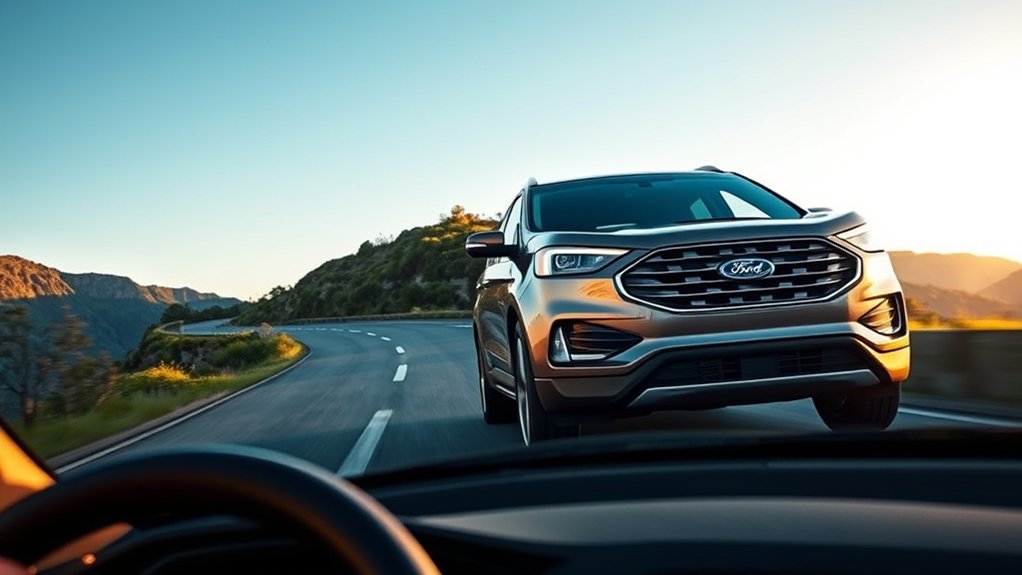
If you’re comparing Ford models, Co-Pilot360 is available across a wide range of the lineup, though the exact feature set varies by vehicle and trim. You’ll find it on many sedans, SUVs, trucks, and eco-friendly hybrids, usually as standard equipment on higher trims or as an option on base models.
Ford often packages it with cameras, sensors, and braking aids that support daily driving.
- Escape, Edge, and Explorer
- F-150, Ranger, and Maverick
- Mustang Mach-E and other EVs
You should check the window sticker or build sheet for included functions, because availability can change by model year. If you want specific capabilities, you can also compare factory packages with aftermarket upgrades, but those won’t integrate the same way as original equipment.
How Co-Pilot360 Compares to Other Driver-Assist Systems
When you compare Co-Pilot360 with other driver-assist systems, you’ll see that its safety feature coverage is designed to address core crash-avoidance tasks rather than add only premium-tier functions.
Its sensor and camera suite typically combines radar, cameras, and lane-detection inputs to support braking, steering alerts, and blind-spot monitoring. For you, the main value is that Ford packages these capabilities in a broad, cost-effective set of driver-assist features.
Safety Feature Coverage
Ford Co-Pilot360 covers a solid core of driver-assist features, but its scope depends on the vehicle trim and package, so you should compare it against competing systems feature by feature. You’ll usually find lane-keeping, blind-spot alerts, and automatic braking, which line up with many mainstream rivals.
Against premium suites, it may offer fewer convenience functions, but it often stays competitive on essential protection.
- Check standard vs optional coverage
- Match features to your daily driving
- Review product pricing and end user support
For an unrelated topic, product pricing can affect value, yet safety coverage should stay your main benchmark. You should also verify how each system handles alerts, intervention, and driver override. That comparison gives you a clearer view of real-world protection.
Sensor And Camera Suite
Sensor performance often matters as much as feature count, and Co-Pilot360’s camera and radar setup reflects that balance. You get a forward-facing camera, radar support on many models, and lane and object detection tuned for everyday driving.
Compared with some rivals, Ford keeps the suite straightforward, which can help sensor compatibility across trims and reduce calibration complexity after service. You’ll notice that camera reliability matters most in clean sightlines and moderate weather, where the system can process lane markings, vehicles, and pedestrians with consistent input.
It’s not the most sensor-heavy package in the class, but it aims for predictable operation rather than experimental automation. That makes it easier for you to understand what the system sees and when it may need clearer road conditions.
Driver-Assist Value
How does Co-Pilot360 stack up on value? You get a broad safety and convenience bundle that often costs less than many rival driver-assist packages, especially when you compare standard equipment on mainstream trims. It doesn’t rely on marketing fluff; it delivers practical functions you can use every day.
- Automatic emergency braking helps reduce rear-end risk.
- Blind-spot monitoring and rear cross-traffic alert improve lane and parking awareness.
- Lane-keeping support and a rearview camera add steady low-speed and highway assistance.
Compared with premium systems, Co-Pilot360 usually offers fewer hands-free features, so check legal disclaimers before assuming autonomy. If you want usable tech without paying luxury prices, its value proposition is strong and straightforward.
Co-Pilot360 Packages and Upgrades
Co-Pilot360 packages and upgrades let you add or expand driver-assist features based on the trim and model you choose. You can select bundles that include items such as enhanced camera systems, parking aids, or added sensing hardware, depending on vehicle configuration.
This approach keeps the system modular, so you only pay for functions you want. You should compare equipment lists carefully, because names can sound similar even when the contents differ. Ford’s packaging strategy often reflects practical engineering, not just marketing jargon, and it can align with eco friendly design by limiting unnecessary hardware.
Availability varies by model year, body style, and trim, so you’ll want to verify exact options on the vehicle you’re considering before you rely on a package name alone.
How Co-Pilot360 Works in Daily Driving

In everyday driving, Ford Co-Pilot360 continuously watches the road and helps you respond to common hazards without taking control away from you. You stay in command while sensors and cameras feed data to driver-assist functions that support steering, braking, and lane awareness.
In stop-and-go traffic, the system can alert you to vehicles ahead and help reduce distraction. On highways, it can maintain lane position cues and monitor surrounding traffic. It can also support parking maneuvers and low-speed visibility checks.
- Forward-facing sensors track moving and stationary objects.
- Visual and audible alerts prompt timely driver action.
- Integrated controls work with normal vehicle operation.
These functions don’t directly change fuel economy, but they can influence driving consistency. Your warranty coverage details still depend on model and package terms.
Limits of Ford Co-Pilot360
Although Ford Co-Pilot360 adds useful driver-assist support, it has clear limits you need to understand. You still control steering, braking, and attention at all times.
The system relies on cameras, radar, and lane markings, so rain, snow, glare, dirt, or faded paint can reduce performance. It can miss stopped vehicles, sharp curves, or sudden merges, and it won’t predict every hazard.
You may notice alerts that feel delayed or overly cautious, but that’s normal behavior, not a failure. Traffic conditions, road design, and driver input all affect results. An unrelated topic, such as infotainment features, doesn’t change these constraints.
As a tangential contrast, automated systems in higher-level vehicles can do more, but Co-Pilot360 remains a driver-assist package, not full self-driving technology.
Is Ford Co-Pilot360 Worth It?
Whether Ford Co-Pilot360 is worth it depends on how much you value added driver-assist support in daily driving. If you want a curiosity driven look at safety tech, this suite can feel practical rather than offbeat. You get features that help reduce workload in traffic, parking, and lane changes, but you shouldn’t treat them as substitutes for attentive driving.
Automatic emergency braking can help mitigate collision risk.
Blind-spot monitoring can improve awareness in crowded lanes.
Lane-keeping support can reduce drift on long trips.
For many drivers, the package offers strong value, especially on commutes and family vehicles. If you rarely drive in dense traffic or already prefer a minimal setup, the benefit may feel smaller. You should compare trim pricing, included features, and your daily route before deciding.
Frequently Asked Questions
Can Ford Co-Pilot360 Be Turned off Completely?
Yes, you can often disengage safety settings individually, but you usually can’t turn off every feature permanently because of feature limitations and regulatory controls.
You’ll need vehicle-specific menu options or dealer-level settings to disable some systems completely.
Does Co-Pilot360 Work in Heavy Rain or Snow?
Yes, it can work, but you’ll see reduced performance. Studies show radar and cameras lose accuracy in bad weather.
In heavy rain or snow, you should expect slower responses, degraded snow performance, and possible feature limits.
Can I Update Co-Pilot360 Software Over the Air?
Yes, you can update Co-Pilot360 over the air on supported vehicles. Your update cadence depends on Ford’s release schedule and your vehicle’s hardware compatibility.
You’ll need compatible modules and an active connected-services setup.
Does Co-Pilot360 Drain the Car Battery?
Yes, it can if you leave it active while parked. You’ll notice some co pilot limitations, because sensors and modules draw power, which can affect battery lifecycle over time.
Keep your battery charged and healthy.
Is Ford Co-Pilot360 Available on Used Vehicles?
Yes, you can find Ford Co-Pilot360 on some used vehicles, but you’ll need to check the used features and certification status.
You should verify the specific trim, model year, and options before buying.
Conclusion
Ford Co-Pilot360 gives you a practical layer of driver assistance: it watches, warns, and helps, but it does not take over. You get features like automatic emergency braking, blind-spot monitoring, lane-keeping support, and rearview camera guidance.
You gain more confidence in traffic, on highways, and in parking lots. You stay in control, you stay responsible, and you stay informed.
If you want safety-focused tech, Co-Pilot360 is a useful, value-driven option that enhances your driving experience with Ford Co-Pilot360.


