What Is Bluecruise Ford
As an Amazon Associate we earn from qualifying purchases.
If you’ve ever wondered what Ford’s BlueCruise is and what it feels like to let a car take the wheel without handing over full control, this system is built for that in certain conditions.
You get hands-free driving on compatible highways, while the system steers, brakes, and speeds up as needed.
But it only works in mapped zones, and you still need to stay alert.
The real question is how far it can go before it asks you to step back in.
Key Takeaways
- BlueCruise is Ford’s hands-free driver-assist system for compatible highways.
- It lets the car steer, accelerate, and brake while you keep your eyes on the road.
- It works only on pre-mapped Blue Zones with proper lane markings and traffic conditions.
- A cabin camera monitors driver attention and issues alerts if you stop watching the road.
- BlueCruise is not self-driving; the driver must stay responsible and ready to take control.
What Is BlueCruise?
BlueCruise is Ford’s hands-free driver-assist system for compatible highways, designed to help you steer, accelerate, and brake under certain conditions while you keep your eyes on the road. You can use it on designated roads when your vehicle supports the feature and the system detects proper lane markings and traffic conditions.
It’s not a replacement for your attention, and you still need to stay ready to take control. BlueCruise aims to reduce fatigue during long drives and support steady highway travel.
It’s different from an unrelated topic or an off topic discussion because its purpose is specific: helping you drive with added convenience on approved routes, not changing the core responsibility you have behind the wheel.
How BlueCruise Works
BlueCruise lets you drive hands-free on approved highways while it keeps the vehicle centered and follows traffic flow. You still need to pay attention, because the system monitors your eyes and head position to confirm you’re ready to take over.
It also uses map data to identify compatible roads and manage where hands-free operation can work.
Hands-Free Driving
On select pre-mapped highways, Ford’s hands-free driving system lets you take your hands off the wheel while the vehicle helps control steering, acceleration, and braking. You still stay responsible for the drive, but BlueCruise can reduce workload during long trips and steady traffic.
It works with mapped road data and on-board sensors to maintain lane position, spacing, and speed within its design limits. You can use it to ease hands free fatigue, especially on extended highway stretches.
From a BlueCruise ethics standpoint, the system raises practical questions about trust, convenience, and appropriate use, so you should understand its limits before relying on it. In normal operation, it aims to make highway driving smoother, calmer, and less tiring without removing your role as the driver.
Driver Monitoring
How does BlueCruise keep track of driver attention? It uses driver monitoring to help confirm you’re ready to respond. A cabin-facing camera tracks your head position and eye direction while you use hands free operation on approved roads.
If you look away too long, the system gives visual and audible alerts, then asks you to refocus on the road. This process supports safer use by making sure you stay engaged even when the vehicle handles steering and speed adjustments.
BlueCruise doesn’t replace your responsibility as the driver; it helps reduce workload while keeping you involved. You still need to monitor traffic, weather, and road conditions. The system’s checks are designed to encourage prompt attention and support confident, controlled driving.
Map-Based Operation
Beyond keeping tabs on your attention, BlueCruise also relies on a built-in map system to decide where hands-free driving is allowed. You drive on prequalified highways that Ford has mapped and verified for use, so the system knows lane geometry, curves, exits, and speed changes before you reach them.
This map data helps BlueCruise stay centered and support steady steering without treating every road as the same. If you leave a mapped zone, the system alerts you and asks you to take back control. That boundary keeps hands-free operation tied to roads it can confidently support.
An irrelevant topic or unrelated concept doesn’t change how it works: map approval is the key limitation, not a replacement for your judgment or local traffic laws.
Which Ford Models Support BlueCruise?
You’ll find BlueCruise on select Ford models, including certain versions of the F-150, Mustang Mach-E, Expedition, and others. Availability often depends on the trim level you choose, since not every trim includes the feature.
To confirm support, you should check the exact model year and trim before you buy.
BlueCruise-Enabled Ford Models
Ford offers BlueCruise on select models, including the Mustang Mach-E, F-150, F-150 Lightning, and certain trims of the Expedition and Lincoln vehicles that share Ford’s hands-free driving technology. You can use this feature on supported vehicles with compatible hardware, so bluecruise rumors and ford rumors often center on exact model fit.
| Model | BlueCruise Support |
|---|---|
| Mustang Mach-E | Yes |
| F-150 | Yes |
| F-150 Lightning | Yes |
| Expedition and select Lincoln models | Yes |
You should verify support through Ford’s official vehicle details, because availability can vary by model year and configuration. This helps you avoid confusion when comparing systems and keeps your expectations realistic about which Ford vehicles actually include BlueCruise.
Availability By Trim Levels
BlueCruise availability often depends on trim, not just the model name, so you’ll want to check the exact version before assuming it’s included. You’ll usually find it on higher trims of select Ford vehicles, including some F-150, Mustang Mach-E, Expedition, and Lincoln models.
Lower trims often skip it, while mid and upper trims may add it as standard or as part of an option package. That means you should compare trim sheets, not just badges, before you buy.
If you want an eco friendly commute with less highway stress, BlueCruise can help, but it won’t affect features like an in car fragrance system. Always verify model year, equipment group, and subscription terms, since availability can change by update or market.
Where You Can Use BlueCruise
BlueCruise works only on prequalified divided highways, known as Hands-Free Blue Zones, which Ford maps and updates over time. You can use it in supported zones on highways, not on city streets or most two-lane roads. This limits BlueCruise myths and safety concerns by setting clear boundaries for where the system can operate.
- Divide highways only.
- Use mapped Hands-Free Blue Zones.
- Expect updates as routes change.
- Leave the system off outside approved roads.
You should still check road signs, construction, and local restrictions before driving. If a route isn’t in the Blue Zone map, BlueCruise won’t engage. That keeps use predictable and helps you understand when hands-free driving is available.
How BlueCruise Monitors Drivers
Once you’re in a Hands-Free Blue Zone, the system still keeps track of your attention. You’ll see alerts if you look away too long or stop monitoring the road. A camera inside the cabin checks your head position and eye direction, helping BlueCruise confirm that you’re ready to take control when needed.
This monitoring supports bluecruise legality because hands-free driving rules depend on driver engagement safeguards. It also raises bluecruise privacy questions, since an in-cabin camera collects visual information while you drive.
Ford says the system uses this data to support safe operation, not to replace your responsibility. You remain in charge of the vehicle, and the system can warn, pause, or limit hands-free use if it detects inattention.
How BlueCruise Compares to Adaptive Cruise Control?
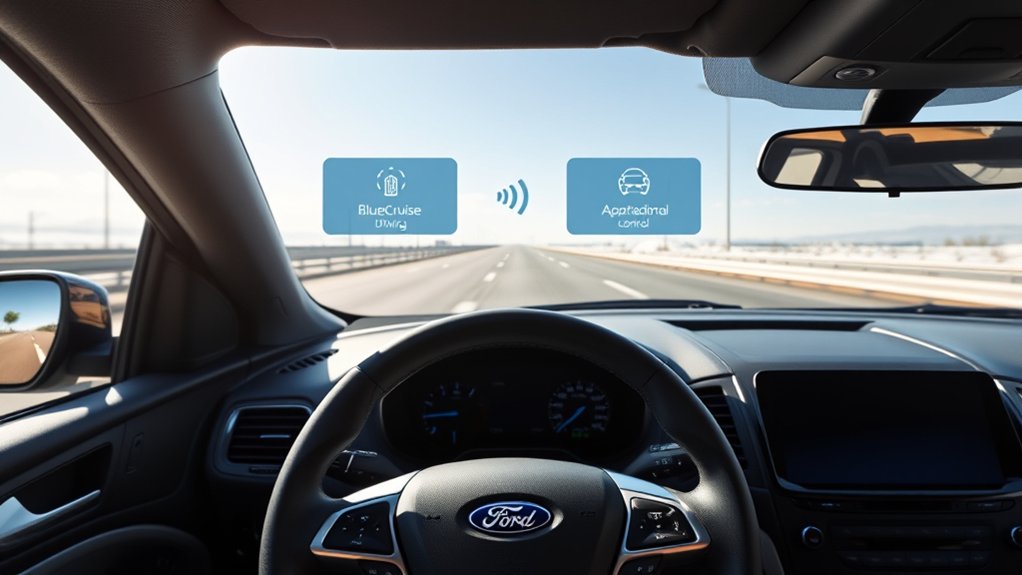
How does BlueCruise compare with adaptive cruise control? You get a more advanced system that can manage steering and speed on approved highways, while adaptive cruise control mainly holds a set gap and speed.
- BlueCruise offers hands-free driving on mapped roads.
- Adaptive cruise control still expects you to steer.
- BlueCruise adds driver monitoring and lane centering.
- Adaptive cruise control focuses on following distance.
You should view BlueCruise as a higher-tier convenience feature, not a replacement for attention. Its value depends on BlueCruise pricing, trim level, and availability. Ford dealer incentives may also affect what you pay.
If you mostly want simple speed control in traffic, adaptive cruise control can meet your needs at a lower cost.
How to Turn On BlueCruise?
To turn on BlueCruise, you first need to make sure your Ford is on a compatible, pre-mapped highway and that the system is enabled in the vehicle settings. Then, engage adaptive cruise control and confirm lane centering is active.
When BlueCruise detects the proper conditions, it’ll let you release the wheel while it keeps the vehicle centered in the lane. You should still watch the road and be ready to take control at any moment.
If the system doesn’t activate, check for software updates, verify camera and sensor visibility, and review the owner’s settings. Proper use can help you understand the system’s operation without adding unnecessary maintenance costs or complexity.
What BlueCruise Costs and Includes
Understanding how BlueCruise works also means knowing what you’ll pay for it and what comes with the system. You usually get it through a subscription or trial tied to eligible Ford models, so your total cost depends on the vehicle and plan you choose. BlueCruise typically includes hands-free driving assistance, lane centering, adaptive cruise control integration, driver monitoring, and map-based route support.
- Trial access on select vehicles
- Monthly or annual subscription options
- Ford software and map updates
- Driver assistance features in one package
You can compare plans before you commit, which helps you match features to your budget. An unrelated topic or off topic idea won’t change the pricing structure, so stay focused on the package details.
BlueCruise Limitations and Restrictions
Although BlueCruise adds hands-free driving support, it only works on mapped divided highways and requires you to stay attentive and ready to take over at any time. You can’t use it on all roads, in heavy rain, snow, or poor visibility, and system performance may change with lane markings, traffic, and road work.
These BlueCruise limitations mean you must keep your eyes on the road and remain in control. The system can also pause when conditions don’t match its design. Other BlueCruise restrictions include the need for compatible Ford vehicles, active subscriptions or trial access, and proper hardware calibration.
You should also follow local laws, since hands-free features aren’t allowed everywhere.
Frequently Asked Questions
Can Bluecruise Be Transferred to a New Ford Vehicle?
Usually, you can’t transfer BlueCruise to a new Ford vehicle; it’s tied to the original vehicle.
You’ll need to check the new feature’s availability and any pricing plans for that specific model.
Does Bluecruise Work in Heavy Rain or Snow?
No, BlueCruise usually won’t work well in heavy rain or snow; you’ll need to take over.
For example, during a blizzard, you’d likely see BlueCruise limitations and reduced weather reliability, so stay alert.
Can Passengers Use Bluecruise Features Too?
No, you can’t let a bluecruise passenger use BlueCruise features; they’re driver-only. You’ll need to follow bluecruise usage limitations, keep your hands off the wheel, and stay ready to take over anytime.
Does Bluecruise Record or Store Driving Data?
Bluecruise may log driving data, like a parchment scroll in a digital age, to improve performance and safety.
You should review Ford’s privacy policy because Bluecruise data logging can raise privacy concerns.
How Often Does Bluecruise Map Coverage Get Updated?
BlueCruise map coverage updates periodically, but Ford doesn’t publish a fixed update frequency. You can expect over-the-air improvements and expanded BlueCruise map coverage as roads are verified.
Check Ford’s app or support for current availability.
Conclusion
BlueCruise gives you a glimpse of easier highway driving, but it still asks you to stay present. That’s the coincidence at its core: the more the system helps you relax, the more it depends on your attention.
If your Ford is equipped and you’re on a mapped road, it can steer, speed up, and brake for you. Even so, you’re always the final safeguard, which is exactly what keeps the experience safe.
This balance of automation and driver responsibility is what makes BlueCruise a reliable and innovative feature in Ford vehicles.


