What Is Blue Cruise Ford
As an Amazon Associate we earn from qualifying purchases.
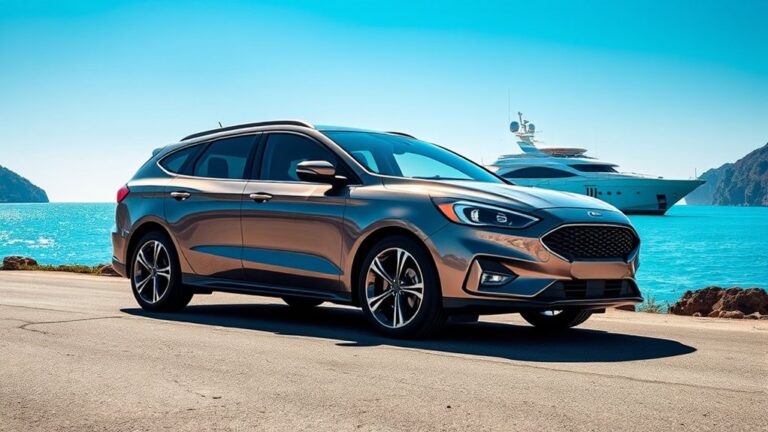
If you’re wondering what Ford Blue Cruise is, it’s Ford’s hands-free highway driving system available on select vehicles equipped with the necessary hardware and software.
You can use it only on mapped Blue Zones, where the system manages steering, braking, and acceleration while you stay alert and ready to take control.
Blue Cruise uses cameras, radar, and lane data to monitor road conditions. The system’s capabilities are ultimately shaped by these technological and geographic limits.
Key Takeaways
- Ford BlueCruise is a hands-free highway driving system for compatible Ford and Lincoln vehicles.
- It works only on mapped divided highways called Blue Zones.
- The system controls steering, braking, and acceleration while keeping the vehicle lane-centered.
- An in-cabin camera checks that the driver stays attentive and ready to take over.
- BlueCruise requires equipped hardware, active software access, and a compatible subscription or trial.
What Is Ford BlueCruise?
Ford BlueCruise is Ford’s hands-free highway driving system that helps you steer, accelerate, and brake on prequalified divided highways called Blue Zones. You can use it on compatible Ford vehicles with the proper hardware and software enabled.
Ford BlueCruise is Ford’s hands-free highway driving system for compatible vehicles on prequalified divided highways.
It keeps you in control, since you can take over at any time and must stay alert. The system uses in-car camera usage to confirm your attention and support safe operation.
You get a driver-assist feature designed for long highway trips, reducing routine workload without replacing you. It can also support eco friendly benefits by helping you maintain steadier speeds, which may improve efficiency in some conditions.
BlueCruise focuses on convenience, consistency, and supervised hands-free driving on approved roads.
How BlueCruise Works
BlueCruise uses driver assistance technology to help you control the vehicle on approved roads. It lets you drive hands-free on certain highways while the system manages steering, braking, and acceleration.
You still need to stay attentive and keep your eyes on the road.
BlueCruise Driver Assistance
At a glance, BlueCruise acts as a hands-free driver-assistance system that helps you steer, accelerate, and brake on prequalified divided highways called Blue Zones. It uses cameras, radar, and lane mapping to monitor road markings, traffic, and your position.
You still supervise the drive, and the system can prompt you to resume control when conditions change.
- It centers your vehicle in the lane.
- It adjusts speed to surrounding traffic.
- It checks driver attention with in-cabin sensing.
That sensing raises blue cruise ethics questions about when automation should intervene. It also affects biometric privacy because camera-based monitoring can process facial or eye-related data.
Ford frames these tools as safety features, but you should review permissions and system limits before use.
Hands-Free Highway Driving
On supported divided highways, you activate BlueCruise in a compatible Ford, then the system helps keep you centered, maintains a set speed or gap, and can handle steering, braking, and acceleration within its operating limits. You monitor the road and stay ready to take over at any time.
Cameras and sensors track lane markings, traffic, and your driver attention, while an in-cab camera helps verify engagement. When conditions meet system requirements, BlueCruise can support hands-free driving on mapped segments.
It may prompt you to resume control if lane lines fade, weather reduces visibility, or traffic changes exceed BlueCruise limitations. You keep your hands off the wheel only when the system indicates it’s active, and you remain fully responsible for vehicle operation throughout the drive.
Which Ford Vehicles Support BlueCruise?
Ford currently offers BlueCruise on select models equipped with the required hardware and software, including the F-150, Mustang Mach-E, F-150 Lightning, Expedition, and certain Lincoln vehicles such as the Navigator. You’ll usually find it on trims that Ford designates through discrete marketing and competitive analysis, not on every version.
To verify support, check these points:
- The vehicle has BlueCruise-ready hardware.
- The trim includes the software package or subscription access.
- The model year and region match Ford’s current availability list.
You should confirm support with the VIN, because equipment can change by trim and production date. Lincoln models can qualify too, but availability depends on the same technical requirements. This approach helps you identify whether your specific vehicle can activate the feature without guessing.
Where You Can Use BlueCruise
Once your vehicle supports BlueCruise, its use still depends on where you drive. You can activate it only on mapped hands-free Blue Zones, typically divided highway sections that Ford has verified for compatible lane geometry, access control, and traffic flow.
Your vehicle’s concept overview in the driver display shows when a route qualifies, and it’ll prompt you if you leave a supported segment. You can’t rely on it everywhere, because local roads, unverified highways, construction detours, and many interchanges fall outside coverage.
Ford expands availability through software updates, which can add new mapped roads and improve route data over time. Before each trip, you should check the in-vehicle map and plan for segments where BlueCruise won’t engage.
BlueCruise Safety Features

BlueCruise uses a layered set of driver-assist safeguards to help keep hands-free driving controlled and predictable. You benefit from camera monitoring, lane-centering logic, and map-based speed control that work together to reduce drift and maintain lane position. The system also watches driver attention and can prompt you if your focus drops.
- It checks road markings and traffic conditions continuously.
- It applies emergency protocols if sensors detect an issue.
- It issues alerts when wind noise, poor visibility, or lane changes may affect performance.
You still remain responsible for the vehicle, but the software adds structured oversight that supports steady operation. Its objective is to limit abrupt responses, preserve comfort, and keep the driving experience consistent on approved roads.
How to Activate BlueCruise
To activate BlueCruise, you’ll first need an equipped Ford vehicle, an active subscription or trial, and a compatible divided highway on the system’s approved map. Start the engine, fasten your seat belt, and confirm that Lane-Keeping System and Adaptive Cruise Control are enabled.
Use the steering wheel controls to set your speed, then press the BlueCruise button or follow the cluster prompt. When the system detects proper road conditions and a clear driver-facing camera view, it allows hands-free driving.
You must keep your eyes on the road and be ready to resume control immediately. If the system won’t engage, check map coverage, sensor status, and any warning messages. Two word discussion ideas and unrelated topic don’t affect activation.
BlueCruise Pricing and Subscription
You’ll typically pay for BlueCruise through a subscription or trial period tied to your Ford vehicle. Ford may offer different subscription tiers or plan lengths, so you should check the current pricing details for your model and region.
Your total cost can also depend on whether BlueCruise is bundled with an eligible package or sold as a standalone service.
Subscription Tiers
Ford structures BlueCruise access as a subscription-based feature, with pricing and availability varying by model, trim, and included trial period. You can choose between subscription tiers that align with how often you use hands-free driving.
Ford typically lets you start with a trial, then continue with either recurring access or longer-term unlimited access.
- Trial access: You test the system before paying.
- Recurring plan: You renew service on a set schedule.
- Unlimited access: You keep the feature active without repeated renewals.
Your chosen tier affects how BlueCruise stays enabled in your vehicle, but it doesn’t change core system capability. You should check your Ford account and vehicle screen to confirm what your specific trim supports, because equipment and enrollment options can differ across models.
Pricing Details
BlueCruise pricing depends on your vehicle’s model year, trim, included trial period, and the subscription option you choose, so costs can vary from one owner to another. You’ll usually see a trial included with eligible vehicles, then a monthly or annual plan if you keep the service.
Ford may also bundle access with specific packages, so check your window sticker and account terms before you renew. You should compare the subscription fee against how often you drive on mapped highways.
Also review data-sharing settings, since privacy concerns can affect how much vehicle information you’re comfortable sending. In addition, consider insurance implications, because driver-assist features may influence your policy questions, even if they don’t automatically change premiums.
Frequently Asked Questions
Can Bluecruise Work in Heavy Rain or Snow?
No, you shouldn’t rely on BlueCruise in heavy rain or snow; Blue Cruise limitations and weather reliability can reduce lane detection.
You should take control because visibility and road markings often become unreliable.
Does Bluecruise Support Hands-Free Lane Changes?
Yes, you can get hands-free lane change support on certain BlueCruise-equipped Ford models, but you still need to monitor conditions and confirm the system prompts before it completes each lane change maneuver safely.
Can I Use Bluecruise With a Trailer Attached?
You can’t use BlueCruise with a trailer attached; Ford disables hands-free operation for trailering compatibility. It also recommends caution in adverse weather performance conditions.
Check your owner’s manual for exact restrictions and approved towing modes.
How Often Does Bluecruise Require Map Updates?
You typically receive blue cruise updates and map refreshes over-the-air as Ford releases them, so you don’t usually schedule updates yourself. The system’s map data stays current like a compass, quietly guiding your route.
Does Bluecruise Drain the Vehicle Battery Faster?
No, you won’t usually notice a major battery drain; BlueCruise uses existing vehicle systems. Two-word discussion ideas and battery optimization mainly matter during long parked sessions, updates, or extreme temperatures.
Conclusion
Ford BlueCruise gives you hands-free highway driving on mapped Blue Zones, but it does not remove your responsibility. You can relax your grip, yet not your attention. The system steers, brakes, and accelerates, while cameras and sensors watch the road and monitor your focus.
In one sense, it’s convenience; in another, it’s constant oversight. If your vehicle supports it and you subscribe or trial it, BlueCruise can make long drives easier without making them autonomous.
Overall, BlueCruise from Ford offers a blend of advanced technology and safety, enhancing the driving experience while keeping the driver engaged. This balance is what defines the Ford Blue Cruise system.


