How to Reset Oil Life 2017 Ford Escape
As an Amazon Associate we earn from qualifying purchases.

Before you reset the oil life on your 2017 Ford Escape, make sure the vehicle is parked, the transmission is in Park, and the parking brake is set. Resetting the oil life indicator is an important step to ensure your vehicle’s maintenance system is accurate.
Then, turn the ignition on without starting the engine and use the steering wheel controls to reach the Oil Life Reset menu in the display. The process is straightforward, but a small mistake can keep the system from clearing, so the next step matters.
Key Takeaways
- Park safely, shift to Park, set the parking brake, and turn the ignition on without starting the engine.
- Use steering wheel controls to open the instrument cluster menu and access Settings.
- Navigate to Vehicle, then Maintenance or Oil Life, and select Oil Life Reset.
- Highlight the reset option and press OK to confirm until the display shows 100%.
- Turn ignition off and back on to verify the oil life now reads 100%.
Before You Reset the Oil Life

Before you reset the oil life on your 2017 Ford Escape, make sure the ignition is on and the vehicle is parked safely. Confirm that the engine is off, the transmission is in Park, and the parking brake is set.
Check the current oil level and oil quality so you know the reset matches actual service conditions. If the oil appears dark, gritty, or low, address the oil change first.
Review the dash for any active maintenance reminders or warning messages that need attention before you clear the oil life monitor. Keep the key fob inside the vehicle and avoid pressing unrelated controls.
This preparation helps you reset the system accurately and prevents you from overlooking required service.
Turn the Ignition to Access the Menu
Turn the ignition on without starting the engine so the instrument cluster powers up. Use the steering wheel controls to access the driver display menu.
This menu lets you reach the oil life reset settings.
Turn Ignition On
With the vehicle in park, press the start button or insert the key and switch the ignition to the ON position without starting the engine. This powers the cluster and prepares you for a reliable maintenance reset. Keep your foot off the brake unless your model requires it for accessory mode.
A stable ignition state helps the display respond correctly and supports accurate fuel economy tracking after service.
| State | Action | Result |
|---|---|---|
| Park | Select P | Vehicle stays stationary |
| Ignition | Turn ON | Electronics activate |
| Engine | Do not start | No unnecessary wear |
| Cluster | Wake up | Menus become available |
| Readiness | Wait briefly | System initializes |
If the screen stays dark, confirm the battery is charged and the key is fully engaged before continuing.
Access Driver Display Menu
Press the ignition controls until the driver information display appears on the instrument cluster. Use the steering wheel arrows to wake the menu, then confirm that the display is active before you continue.
If the screen doesn’t respond, cycle the ignition off and back on, then try again. You’ll need access to this menu to reach the oil life settings and complete the reset correctly.
Keep your attention on the cluster only; don’t look away from the road while driving. For driving safety, perform this step only when the vehicle is parked.
If your display layout differs, check dealership tips in the owner information for model-specific navigation. Once the menu is visible, you’re ready for the next reset step.
Use the Steering Wheel Controls

Use the steering wheel controls to open the menu on the instrument cluster. Navigate to the oil life reset screen, then select the reset option.
Confirm the reset action when prompted so the system saves the change.
Steering Wheel Menu
Next, reset the oil life through the steering wheel menu by steering the instrument cluster with the directional controls on the wheel. Press the left arrow to highlight Settings, then use the up and down buttons to move through the menu tree.
Select Vehicle, then Driver Assist or MyKey only if those options appear; don’t detour into any irrelevant topic or unrelated concept. Stay focused on the maintenance menu path, since the oil life item sits within the vehicle information screens.
Confirm each selection with the OK button, and watch the cluster for the current submenu to load. If you back out by mistake, use the left arrow to return one level and continue from the last confirmed screen. Keep your inputs deliberate so you don’t skip the correct menu path.
Oil Life Reset
To reset the oil life with the steering wheel controls, stay in the Maintenance or Oil Life menu and highlight Oil Life Reset. Use the left-hand directional pad to move through the cluster display, then stop on the reset option.
Keep the ignition on and the engine off while you navigate, so the system responds correctly. Your screen may show a percentage or status bar, which helps you verify the current maintenance setting.
At this point, you’re positioning the vehicle’s reminder system for a new service interval, much like organizing concept art before final review. Check that your travel plans don’t require an immediate trip, because the reset only updates the reminder and doesn’t change actual service needs.
Keep the selection highlighted until you’re ready for the next step.
Confirm Reset Action
Press the OK button on the steering wheel to confirm the oil life reset. You’ll see the system accept the command and update the oil life display to 100 percent. If the prompt remains, press OK again until the message clears.
This step completes the reset for your auto maintenance record and helps keep service intervals accurate. Accurate reminders support fuel efficiency by encouraging timely oil changes.
| Action | Input | Result |
|---|---|---|
| Confirm | OK button | Reset accepted |
| Verify | Information display | Oil life returns to 100% |
| Finish | Release controls | Main menu clears |
After confirmation, cycle the ignition off, then back on to verify the new setting. If the display doesn’t change, repeat the sequence carefully.
Reset the Oil Life Display
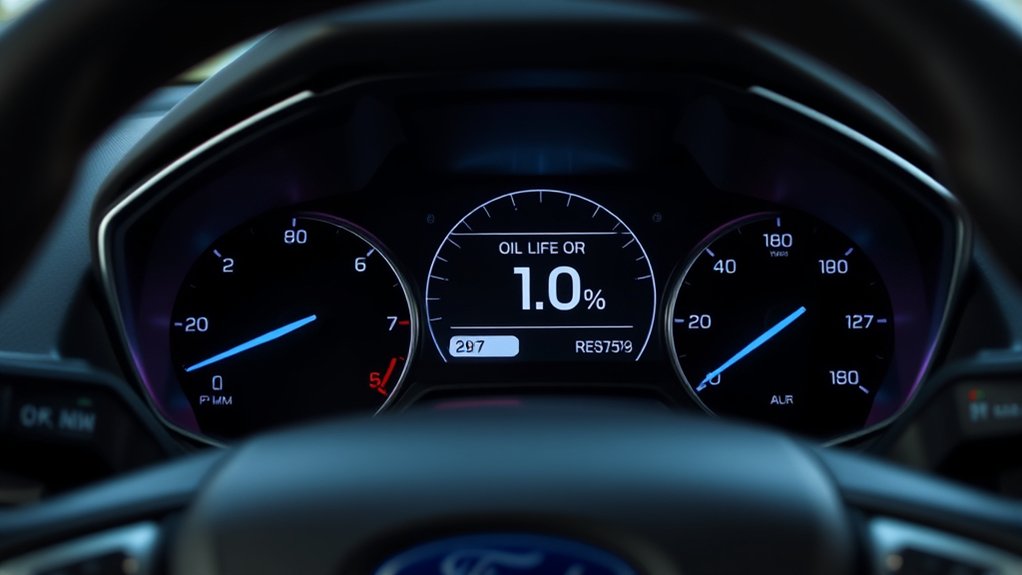
Once the oil change is complete, you can reset the Oil Life display through the instrument cluster controls. Turn the ignition on without starting the engine, then use the steering wheel buttons to open the Settings menu.
After the oil change, reset the Oil Life display using the instrument cluster controls and steering wheel buttons.
Scroll to Vehicle, then select Oil Life. Press and hold OK until the display shows 100 percent. Release the button, and the system will store the reset.
This car maintenance step helps the dashboard track your next service interval accurately. Keeping the reminder current supports fuel efficiency by ensuring timely oil changes and proper engine operation.
If the menu doesn’t appear, cycle through the cluster screens again and repeat the selection sequence carefully.
Confirm the Reset Worked
After the reset, turn the ignition off and then back on to verify the Oil Life display now reads 100 percent. Check the message center immediately after startup; you should see the updated percentage without delays or warning icons.
If the display shows 100 percent, the reset completed correctly and you can return the vehicle to normal use. If you prefer, cycle through the information screen once more to confirm the value remains stable.
Ignore any irrelevant topic or unrelated concept, such as trip data or ambient settings, because they don’t affect the oil life result. Your only goal here is to confirm the system stored the new value.
A successful confirmation means the service reminder has been cleared and the maintenance interval has been recalibrated.
If the Oil Life Reset Doesn’t Work
If the display doesn’t return to 100 percent after a reset, repeat the procedure from the start and make sure you hold the accelerator and brake pedals fully down at the same time until the confirmation appears. If it still fails, cycle the ignition off, open and close the driver door, then try again.
Check for an active engine warning, because some faults block the oil maintenance reminder from clearing. Inspect the battery voltage, since low power can interrupt the reset sequence.
| Check | Action | Result |
|---|---|---|
| Pedals | Press both fully | Reset signal |
| Ignition | Cycle off/on | Reinitialize |
| Warning lights | Verify dash | Locate engine warning |
| Battery | Test voltage | Stable reset |
If the message persists, scan the vehicle for codes and service the related fault before retrying.
Frequently Asked Questions
How Often Should I Change Oil in a 2017 Ford Escape?
You should change your oil every 7,500 miles or six months, whichever comes first, unless your maintenance schedule specifies shorter intervals.
Check oil change frequency for severe driving, towing, or frequent short trips.
What Oil Type Does a 2017 Ford Escape Require?
Your 2017 Ford Escape requires Ford-spec oil, typically a synthetic blend with 5W-20 or 5W-30 oil viscosity, depending on engine.
You’ll check your owner’s manual, then choose the exact grade to protect everything.
Can I Reset Oil Life Without Starting the Engine?
Yes, you can usually perform the reset procedure with the ignition in accessory mode, without starting the engine. Use the steering wheel controls to clear dashboard indicators after setting ignition on and navigating the oil menu.
Why Does the Oil Life Reset Not Save?
You’re not completing the reset confirmation, so the system reverts. You need to save the oil change reminders in the maintenance schedule menu, then cycle ignition off and back on to retain the setting.
Does Resetting Oil Life Affect Warranty Coverage?
No, you won’t affect warranty coverage by resetting oil life if you service the vehicle properly and document maintenance.
You should still follow oil disposal rules, because neglected intervals can hurt fuel efficiency and claims.
Conclusion
Now you know how to reset the oil life on your 2017 Ford Escape. Make sure the vehicle is parked, turn the ignition on, and use the steering wheel controls to reach Settings, Vehicle, and Oil Life Reset. Select Reset, confirm with OK, then cycle the ignition to verify 100%.
Didn’t that take just a few steps? If the display doesn’t update, repeat the sequence carefully and check that the ignition stayed on the whole time. Following these steps will ensure you successfully reset the oil life on your 2017 Ford Escape.


