How to Reset Ford f150 Door Code Without Factory Code
As an Amazon Associate we earn from qualifying purchases.
Your Ford F-150 door code keypad is like a locked vault—you need the right sequence to open it. Resetting the Ford F-150 door code without the factory code might seem tricky at first.
If you don’t have the factory code, you can still recover or replace it by checking the sticker, your Ford account, or your paperwork. Once you have access, you can program a new personal code.
The steps are simple, but one wrong detail can stop the process cold. So, the next move matters.
Key Takeaways
- You generally cannot reset the Ford F-150 door code without a current code; unauthorized changes are restricted by the security system.
- Check for the factory code on the glove box sticker, door frame label, owner’s manual card, or service paperwork.
- Use FordPass or your Ford account to find any stored door code linked to the vehicle.
- To program a new code, enter the existing code, press 1 and 2 until programming mode appears, then enter the new five-digit code.
- If no code can be found, contact Ford Support or a dealer with your VIN and proof of ownership for recovery help.
How to Reset a Ford F-150 Door Code Without the Factory Code
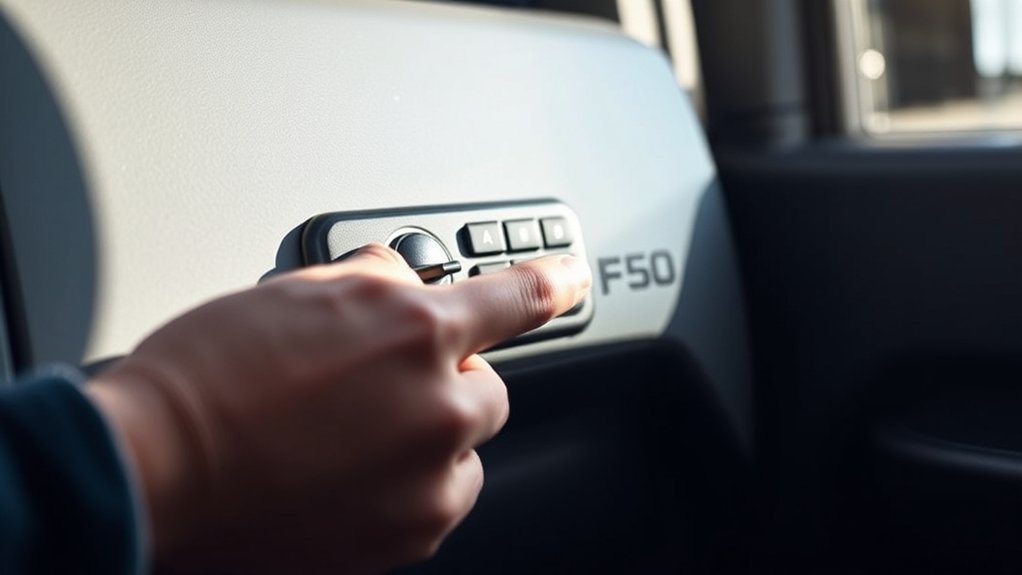
If you don’t have the factory code, you can still reset a Ford F-150 door code by using the truck’s keypad memory and an existing working code, or by retrieving the original code from the vehicle or Ford records. Enter the current five-digit code, then press and hold 1 and 2 until the keypad confirms programming mode.
Within five seconds, enter your new code, then press 1 or 2 to save it. Test the new sequence immediately. If the keypad won’t accept changes, verify battery power and ignition status.
Treat this process as a security update, not a convenience tweak; weak access control can create a safety breach. Ford stores code data with data encryption, so unauthorized changes aren’t simple. If you can’t validate the code, contact a dealer.
Find the Keyless Entry Code Sticker
Start by checking the glove box sticker, since Ford often places the keyless entry code there. If it isn’t inside the glove box, inspect the door frame label for the printed code.
You should also look for the manual code card, which can list the same entry code.
Glove Box Sticker
Look inside the glove box for the factory keyless entry code sticker, since Ford often places it on a white or silver label with a five-digit code. Open the glove box fully and inspect the inner walls, hinge area, and underside of the lid with good light.
If you don’t see the sticker at first, wipe away dust and check for a small rectangular label that may be faded or partially hidden. Use the code exactly as printed; don’t add spaces or extra digits.
If the glove box is empty, compare the door panel area for a service tag, but keep your focus on the code label first. Once you find it, record the number securely for future keypad resets and keep the sticker legible for reference.
Door Frame Label
Check the driver-side door frame and the area around the latch for a keyless entry code label, since Ford sometimes places the sticker on the jamb or the edge of the door. Clean the area first so dirt doesn’t hide the print, and use bright light to read the five-digit code.
Keep the door open, inspect the seam, and follow smart door etiquette so you don’t nick the trim.
- Wipe the label area during regular maintenance routines.
- Look along the striker side and lower jamb.
- Scan for a white sticker with printed digits.
- Photograph the code for quick access later.
If the sticker is faded, slow down and trace every edge carefully. Once you find it, write the code down safely and test your entry method.
Manual Code Card
If the door jamb sticker isn’t there or the print’s too faded to read, go to the owner’s manual and find the keyless entry code card or sticker. You’ll usually see it in the wallet pocket, service insert, or first-page sleeve. Compare the code with your VIN records before you test it. If the card is missing, check any dealer paperwork or prior service logs.
| Check point | Action |
|---|---|
| Manual pocket | Inspect all inserts |
| Warranty pages | Look for code slip |
| Dealer packet | Review delivery docs |
| VIN match | Confirm code source |
| Fallback | Contact dealer support |
This step sounds like an unrelated topic or random thought, but it often saves time. Enter the verified code, then program your new code.
Check FordPass or Your Ford Account
Open the FordPass app on your phone and sign in with the same Ford account linked to your F-150. Check the vehicle details or security section to find the door code or related security code.
If you don’t see it in the app, log in to your Ford account online and review the same vehicle information there.
Access FordPass App
Start by accessing the FordPass app or signing in to your Ford account online to see whether your truck’s keypad code is stored there. Open the vehicle tile, then check security, remote features, or door access menus for the five-digit code.
If it appears, record it immediately and verify it against the keypad. This saves time and avoids guesswork. Use proper door etiquette: don’t share the code casually, and keep it out of view on your phone.
For reliable code memorization, store it in a secure password manager or write it in your owner’s manual.
- Check your connected vehicle profile
- Review keypad or security settings
- Confirm the code matches your truck
- Save the code securely for later
Sign In To Ford Account
Next, sign in to your Ford account through FordPass or Ford’s website so you can check whether the door code is tied to your vehicle profile. Use the same email and password you used when you set up connected services.
Once inside, open vehicle details and review stored access settings. If your truck is linked correctly, the portal may show security information that helps you confirm the code path without guessing.
Keep the layout simple and verify each field carefully; good product design supports fast navigation, and clear color theory improves visibility of account prompts. If you manage multiple Ford vehicles, select the correct F-150 before you continue.
This step only confirms account access and vehicle association, so stay focused on the profile data you can already see.
Find Security Code
Check FordPass or your Ford account for a stored security code tied to your F-150. Open the vehicle details, then look for Door Keypad, Security, or Remote Features. If Ford saved the code, you’ll see a five-digit number you can use to reset the door keypad.
If the code isn’t visible, refresh the app, verify the VIN, and confirm you’re signed into the same account linked to the truck. Use the code only on your own vehicle; it controls access during off road hauls and daily work.
- Check FordPass notifications
- Review account documents
- Confirm VIN match
- Contact Ford support if hidden
Avoid guesswork. Accurate retrieval saves time and protects systems, much like tracking Eco friendly additives in a maintenance log.
Review the Owner’s Manual and Paperwork
Before you try any reset procedure, review the owner’s manual and any paperwork that came with the truck. Ford often prints the factory door code or gives model-specific instructions there. Check the glove box, warranty packet, service records, and dealership inserts.
You can also compare these documents during routine car maintenance and emergency preparedness planning, since the code supports fast, keyless access.
| Document | What to check | Why it matters |
|---|---|---|
| Owner’s manual | Door code section | Lists access steps |
| Warranty packet | Factory labels | May show the code |
| Service paperwork | Dealer notes | Can confirm prior setup |
If you find the code, write it down in a secure place and verify each digit before you move on. Keep the pages clean, legible, and stored where you can reach them quickly.
Contact Ford Support to Recover the Code
If you still can’t find the factory code, contact Ford Support with your VIN, proof of ownership, and vehicle details so they can verify your identity and look up the original code. Ask for the keypad code recovery process and note every reference number they give you.
Keep your registration, title, or lease info ready, because missing documents can delay service. Use a calm, technical tone and confirm the trim, model year, and door-module data exactly.
- VIN verification
- Ownership documents
- Support case number
- Dealer referral option
If support can’t release the code directly, they’ll tell you the next approved step. Don’t treat this as an unrelated topic or random brainstorm; it’s the fastest secure path.
Program a New Door Code on the Keypad
Now that you have the factory code or a recovered equivalent, enter it on the keypad to add your new personal code: press the factory code, then within five seconds press the 1•2 button, enter your new five-digit code, and wait for the locks to cycle to confirm programming.
Keep the driver door closed and the ignition off while you do it.
| Step | Action |
|---|---|
| 1 | Enter the factory code |
| 2 | Press 1•2 within five seconds |
| 3 | Type your new five-digit code |
| 4 | Confirm lock cycle |
If the locks don’t respond, retry once with steady timing. Don’t drift into an unrelated topic or tangential idea; stay focused on keypad input. Keep the code private, since anyone with it can access the truck.
Add Your Personal Door Code
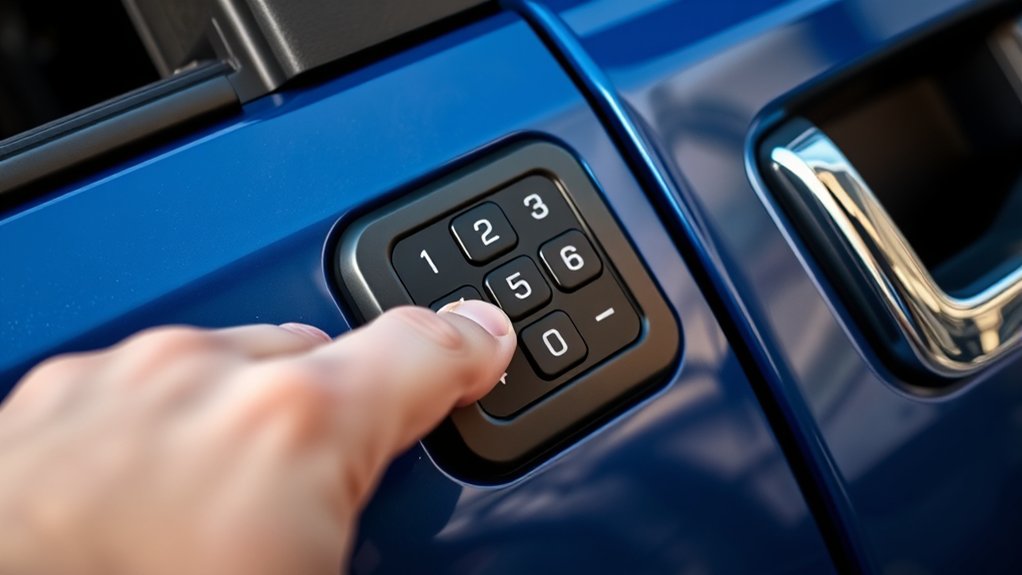
- Test the code with the driver door closed.
- Keep the keypad clean for reliable input.
- Record the code in a secure place.
- Change it if access control becomes a concern.
What to Do If the New Code Won’t Work?
If your new code won’t work, first check the entry sequence and make sure you’re pressing each button in the correct order and timing. If it still fails, retry the original code to confirm the keypad is responding properly.
This step helps you isolate whether the issue is with the new code or the system itself.
Check Entry Sequence
When the new code won’t open the door, check the entry sequence first. You may be entering the code too fast, too slow, or with a missed press. Use the keypad’s exact rhythm and confirm each button lights up.
If you’re testing multiple codes, pause between attempts so the system resets cleanly. Keep your fingers dry and the keypad clean; grime can interrupt inputs.
For creative writing or travel planning, write the digits down in order before you start, so you don’t reverse them under pressure.
- Press each digit once
- Wait for keypad feedback
- Match the original code length
- Reenter with steady timing
Retry With Original Code
Try the original door code again before you assume the new code failed. Enter it slowly, and wait for each keypress confirmation. If the lock still ignores it, check whether you changed only one digit or saved the new code incorrectly. Some systems won’t accept a partial overwrite.
Also, verify you’re using the driver door keypad, not a non vehicle device or an unrelated topic like a remote app setting. Clean the keypad and test with the engine off, then on, to rule out a power or timing issue.
If the original code works but the new one doesn’t, repeat the programming process from the start. You may have exited programming mode too soon. If neither code works, there may be a keypad fault or module issue, and you’ll need diagnostics.
Common Ford F-150 Keypad Problems
Your Ford F-150 keypad can stop responding for a few common reasons, including a weak vehicle battery, worn keypad buttons, moisture intrusion, or a damaged keypad module. You’ll notice slow response, random codes, or total failure after rain or a jump start.
Weak battery, worn buttons, moisture, or a faulty module can make your Ford F-150 keypad stop responding.
Check the battery first, then inspect the keypad for cracked seals or sticky keys. If the lights work but inputs don’t, the module may need testing.
- Verify battery voltage at rest and under load.
- Clean the keypad surface with a dry cloth.
- Look for moisture around the door handle trim.
- Test every button for consistent feedback.
For extra troubleshooting context, think of a creative dinner: each ingredient has a role, just like each circuit. Urban planning helps too, since orderly systems fail less often than cluttered ones.
Keep Your Door Code Secure
Keep your Ford F-150 door code private to reduce the risk of unauthorized entry and tampering. You should never share it with passengers, service staff, or anyone who doesn’t need access.
Store the code in a password manager or a sealed record, not in the glove box. If you suspect exposure, reset the keypad immediately and verify the new code works before driving away.
Check your truck’s privacy settings in connected apps, because synced data can create privacy concerns if your phone gets lost or compromised. Avoid posting keypad photos online, where advertising strategies and data scraping can expose vehicle details.
Review who has access to your account, disable old devices, and update security questions. Small steps like these help protect your truck and reduce misuse.
Frequently Asked Questions
Can I Reset the Door Code Without Visiting a Dealership?
Yes, you can reset it yourself with the keypad and owner’s manual guidance. Follow How to instructions and use Troubleshooting tips. If the code’s lost, you’ll usually need dealer or Ford support access.
Does Disconnecting the Battery Erase the Door Code?
No, disconnecting the battery usually won’t clear the code; your keypad’s memory keeps humming along. You’ll need the proper reset procedure instead.
Try these troubleshooting tips: check the manual, verify the module, and test codes.
Can I Use the Keypad if the Key Fob Battery Is Dead?
Yes, you can usually use the keypad even if your key fob battery’s dead, because the keypad works independently. For a reset procedure, try dealership alternatives like checking the owner’s manual or contacting Ford support.
Is the Factory Code the Same on Every Ford F-150?
No, you won’t find the same factory code on every Ford F-150. What a surprise. You’ll get a unique factory code for keyless entry, usually set at the factory and printed on vehicle paperwork or modules.
Can I Change the Code if I Bought the Truck Used?
Yes, you can change it if you bought the truck used. Follow the How To Guide in your owner’s manual, enter the factory code, then set a new Personal Keypad Security code for better control.
Conclusion
If you can’t find the factory code, you’ve still got a few solid paths to reset your Ford F-150 door code. Start by checking the sticker inside the glove box, on the driver’s side door jamb, or in the owner’s manual. You can also look through your Ford account online and review any paperwork that came with the truck.
If these steps don’t help, contact Ford Support for assistance. Once you have the factory code, enter programming mode to save your new five-digit code. Be sure to test the new code with the driver door closed to confirm it works properly.
Keep your door code private to maintain your vehicle’s security. Following these steps will help you easily reset your Ford F-150 door code without the factory code.


