How Do You Connect Bluetooth to Ford Fusion
As an Amazon Associate we earn from qualifying purchases.

Nearly 80% of drivers now expect Bluetooth to work on the first try, but connecting Bluetooth to Ford Fusion still requires the right steps. You start by turning on the ignition, opening SYNC, and switching Bluetooth on in Settings.
Next, pair your phone with the system, confirm the PIN, and allow contact access if prompted. If it doesn’t connect right away, a few quick checks can usually fix the issue.
One detail often gets overlooked, so paying attention to these steps can help ensure a smooth Bluetooth connection every time.
Key Takeaways
- Turn on the ignition, open SYNC or the infotainment screen, and enable Bluetooth in Settings.
- On your phone, turn on Bluetooth and search for available devices.
- Select Ford Fusion on your phone and confirm the PIN or passkey matches on both screens.
- Accept the pairing request on both devices, and allow contacts if prompted.
- If pairing fails, delete old pairings, restart both devices, and try again within close range.
How Do You Turn On Bluetooth in a Ford Fusion?
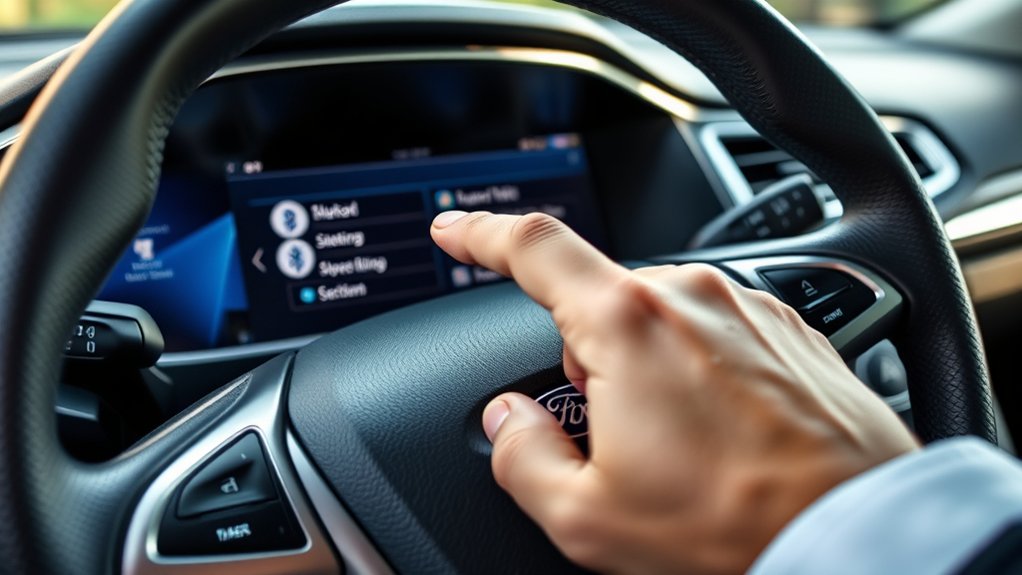
To turn on Bluetooth in a Ford Fusion, start by switching on the ignition and accessing the SYNC or infotainment screen. On the touchscreen, tap Settings, then Bluetooth, and make sure the feature is set to On.
If your system uses physical buttons, press the Menu key, select Settings, then Phone or Bluetooth, and enable wireless connectivity. You can also confirm Bluetooth is active by checking the status icon on the display.
Once enabled, the system can detect nearby devices. From there, you can move on to how to access apps and how to customize audio through SYNC settings.
Keep your phone nearby and leave Bluetooth enabled on your device, since both systems must stay active for wireless functions to work properly.
How to Pair Your Phone With Ford Fusion?
Once Bluetooth is on in your Ford Fusion, you can pair your phone by opening the SYNC system, selecting Phone or Add Device, and choosing Add Bluetooth Device or Pair New Device. On your phone, turn on Bluetooth, then search for available devices. Tap your Ford Fusion when it appears.
Open SYNC, choose Add Device, then find your Ford Fusion on your phone’s Bluetooth list.
Compare the PIN on both screens and confirm it matches. After that, accept the pairing request on both devices. Keep these points in mind:
- Keep the phone close to the console
- Use a supported Bluetooth version
- Allow contacts if prompted
- Remove old pairings if needed
- Ignore non relevant topics during setup
If your phone asks for permission, grant it so SYNC can store two word ideas like device names correctly. Once paired, your phone should save for future use.
How to Connect Bluetooth With Ford SYNC

With SYNC, you can connect your phone by selecting the Phone menu, choosing Add Device or Add Phone, and then starting Bluetooth pairing on your phone. Keep your phone’s Bluetooth on, then confirm the passkey shown on both screens.
Once you accept, SYNC saves the device for future Wireless pairing. You can also set your phone as the primary device for calls and contacts if SYNC asks.
After setup, test Audio streaming by playing music or a podcast from your phone and using the steering wheel or touchscreen controls. If multiple phones are stored, choose the one you want from the Phone menu before you drive. This keeps your connection organized and lets you switch between devices quickly.
Ford Fusion Bluetooth Troubleshooting
If your Ford Fusion won’t pair, start by checking that Bluetooth is on for both your phone and SYNC, then delete the old pairing from each device and try again. Restart both devices, then re-enter pairing mode to rule out a stale connection. Use these checks for two word ideas one, two word ideas two, and three four errors.
Confirm airplane mode is off. Keep your phone within three feet. Update your phone’s software. Clear unused saved devices. Reboot the SYNC module.
If pairing still fails, reset network settings on your phone and power-cycle the vehicle. Also verify the infotainment volume isn’t muted and the system time is correct. If you still can’t connect, inspect for Bluetooth interference from other active devices nearby.
What Can You Do With Bluetooth in a Ford Fusion?

After you’ve got Bluetooth paired in your Ford Fusion, you can use it to make hands-free calls, stream audio from your phone, and access contacts through SYNC. You can also control playback with steering-wheel buttons, so you don’t need to touch your device while driving.
| Feature | What You Do | Benefit |
|---|---|---|
| Calls | Dial, answer, and end calls | Reduces distraction |
| Audio | Play music, podcasts, and apps | Uses your phone’s content |
| Contacts | Sync phonebook entries | Speeds up calling |
Check volume and microphone settings if audio sounds weak. Keep your phone updated to improve compatibility and future features. If you notice lag or dropped connections, review pairing settings and nearby interference. These tools help you stay connected, but you should still watch for safety concerns and keep your focus on the road.
Frequently Asked Questions
How Do I Delete a Paired Bluetooth Device From Ford Fusion?
Go to Settings, select Bluetooth, then manage devices. Choose the paired phone, tap delete pairing, and confirm.
Your Ford Fusion will remove it immediately, freeing a slot for a new device.
Can I Connect Two Phones to Ford Fusion Bluetooth Simultaneously?
No, you can’t use two phones for simultaneous audio over Ford Fusion Bluetooth pairing.
Your connected car can store multiple devices, but it usually connects one active phone at a time for calls and media.
Does Ford Fusion Bluetooth Support Text Message Reading?
Yes, your Ford Fusion’s Bluetooth connectivity can support text message reading on many SYNC systems. You’ll need a compatible phone and enabled notifications.
You can hear messages through voice prompts, though features vary by model year.
Why Does My Ford Fusion Bluetooth Keep Disconnecting During Calls?
Your Ford Fusion Bluetooth keeps disconnecting because of weak signal, outdated software, or pairing errors. Check Bluetooth reliability, remove old devices, and follow pairing cautions.
Restart both devices and update SYNC firmware for steadier calls.
Can I Use Bluetooth Audio Controls on the Steering Wheel?
Yes, you can use steering wheel controls, but only after Bluetooth pairing is complete. Once connected, you’ll manage calls and audio with buttons at your fingertips.
It’s a dashboard orchestra, not a full touchscreen replacement.
Conclusion
Connecting Bluetooth to your Ford Fusion is simple once you’ve got the rhythm: turn on SYNC, enable Bluetooth on both devices, pair, and confirm the PIN.
If the connection won’t hold, clear old pairings and try again. Like a well-choreographed duet, your phone and Fusion work best when both are ready and in range.
Once paired, you can make calls, stream music, and stay hands-free every time you drive.
With these steps, connecting Bluetooth to your Ford Fusion becomes an effortless part of your driving experience.


