How Do You Change Battery in Ford Key Fob
As an Amazon Associate we earn from qualifying purchases.
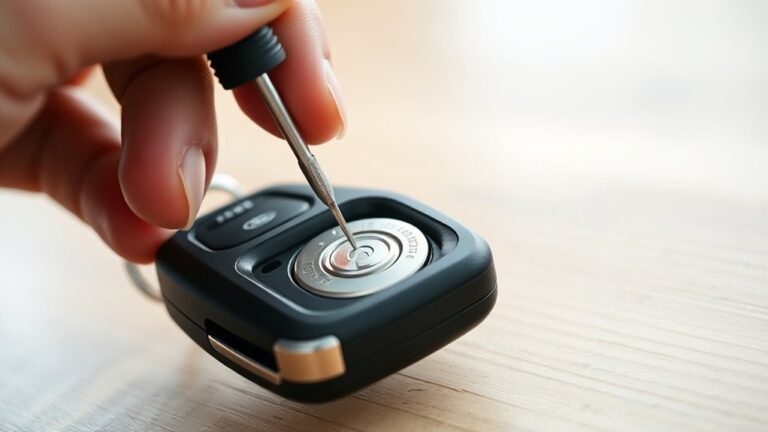
You can change the battery in a Ford key fob by following a few careful steps, but the right coin cell and the opening method depend on your exact model.
If you pry the case at the seam, check for a hidden key, and match the battery polarity before reassembly, you’ll avoid common damage.
The real issue is knowing whether your fob uses a CR2032, CR2025, or CR2450, and that’s where things get specific.
Key Takeaways
- Open the Ford key fob carefully using the seam or release slot and a plastic pry tool.
- Remove the hidden key first, if present, to expose the opening point.
- Check the battery type, usually CR2032, but confirm the exact model in the fob or manual.
- Replace the old battery with the new one, matching the correct polarity and keeping contacts clean.
- Snap the fob back together and test lock, unlock, panic, and remote start functions.
Ford Key Fob Battery Replacement Steps
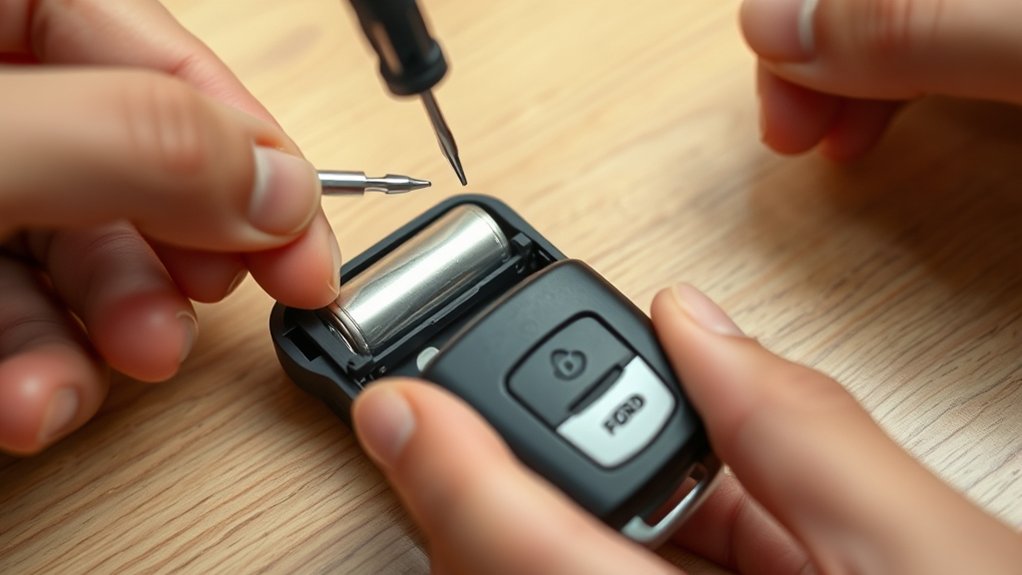
To replace your Ford key fob battery, first locate the small seam or release slot on the fob and use a flat tool or your key blade to carefully pry it open. Once the case separates, lift out the old battery without bending the contacts or damaging the circuit board.
Note the battery’s orientation, then install the new one with the same polarity so the fob powers up correctly. Press the halves together until they snap shut, and test every button near the vehicle.
If the fob still doesn’t respond, reopen it and check alignment and contact fit. This simple car maintenance task takes minutes, supports reliable entry and starting, and helps you avoid delays that can affect your routine and fuel economy.
What Battery Your Ford Key Fob Uses
Ford key fobs typically use a CR2032 3-volt lithium coin battery, though some models may require a different size such as a CR2025 or CR2450. You should check the battery marking inside the fob or in your owner’s manual before buying a replacement.
- Verify battery compatibility first.
- Match voltage and diameter exactly.
- Check thickness to prevent fit issues.
- Buy a reputable brand for stable output.
- Keep key ring etiquette in mind and avoid storing spare metal keys against the cell.
You’ll get reliable remote performance only when you match the specified cell type. If you install the wrong battery, the fob may work inconsistently or not at all. Confirm the part number before you shop, and keep the old battery for reference when comparing replacements.
Open the Ford Key Fob Safely
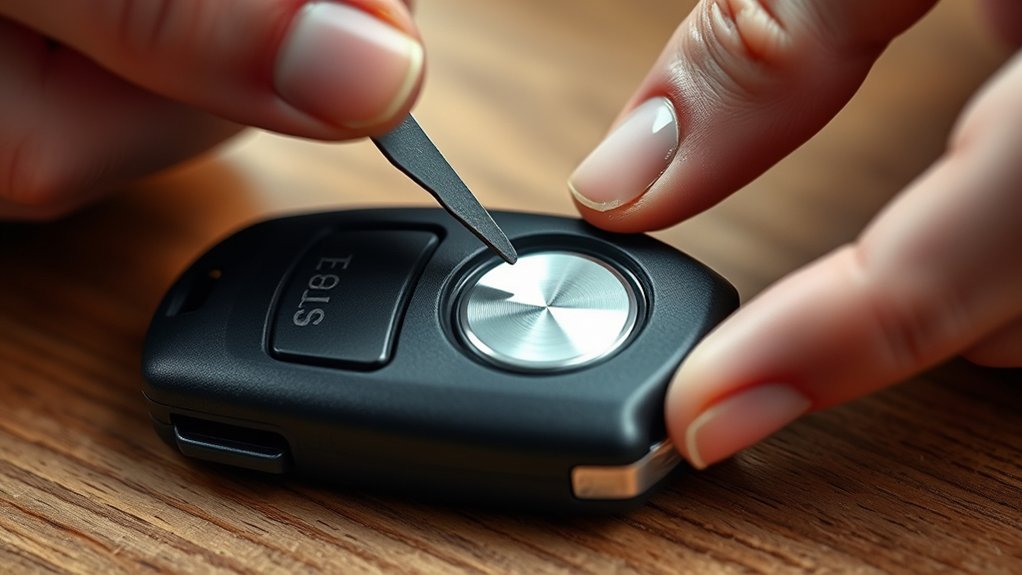
Next, open the fob at the seam without forcing it, since most Ford key fobs use a small notch or release point that lets the two halves separate cleanly. Hold the fob firmly, then insert a thin plastic pry tool or a small flat screwdriver wrapped in tape to protect the housing.
Apply steady pressure, not twisting force, and work around the edge if the shell resists. Keep the tool aligned with the seam so you don’t damage clips or the circuit board. If your fob has a hidden key, remove it first to expose the opening point.
Avoid metal scratches on the contacts, because that can affect remote security and later battery performance. Once the case opens, set the halves aside on a clean surface for the next step.
Replace the Ford Key Fob Battery
With the fob open, remove the old coin-cell battery by noting its orientation, then lift it out gently with a plastic tool or your fingernail. You should match the replacement cell’s polarity to the markings in the holder before you seat it fully. Use the exact Ford-specified battery type, since size and voltage matter.
Keep the contacts clean and dry, and avoid touching both faces of the new cell at once.
- Check the battery code on the old cell
- Confirm positive side placement
- Inspect the spring and clip for damage
- Insert the cell without forcing it
- Apply idea one and idea two for consistent fit
Reassemble and Test the Key Fob
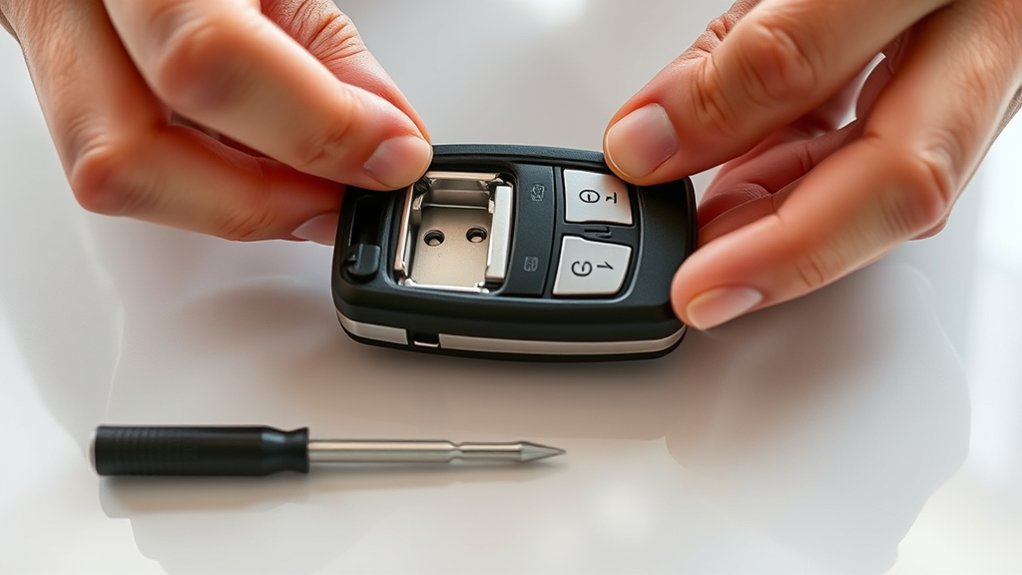
Align the Ford key fob halves and snap the case together until every edge seats flush. Verify the battery sits firmly in its contacts and hasn’t shifted during reassembly.
Then test each remote function, including lock, unlock, and panic, to confirm the fob operates correctly.
Snap Case Together
Once the new battery sits in place, press the two halves of the Ford key fob case together until the clips snap fully shut. Use firm, even pressure along the perimeter so the shell aligns cleanly and the seam stays flush.
Before you close it, confirm your tool selection matched the case design and that battery safety steps kept the cell clean and dry. Then inspect the housing for gaps, warped edges, or a misaligned button pad.
- Apply pressure near each latch point
- Keep the buttons centered in their openings
- Wipe away dust before closing
- Avoid forcing cracked plastic
- Handle the fob by the edges
After snapping it closed, hold it steady and check that it feels solid in your hand.
Confirm Battery Seating
Now check that the battery sits flat and the contacts touch firmly before you reassemble the Ford key fob fully. Press the cell into the cradle until it no longer rocks, and align the positive side exactly as marked.
If the battery edge lifts, remove it and reset it; weak seating can cause intermittent power. Use the checklist below to verify fit quickly.
| Check | Result |
|---|---|
| Battery lies level | Pass |
| Contacts meet both terminals | Pass |
| Case halves align | Pass |
| No pinched gasket | Pass |
| Buttons move freely | Pass |
Think of this step like good study habits or plant care: consistent setup prevents later problems. Once everything feels secure, close the shell evenly and inspect the seam for gaps or movement.
Test Remote Functions
Snap the key fob back together, then test each remote function to confirm the new battery is working. Press lock, unlock, panic, and remote start, if equipped, while standing near the vehicle.
If a command fails, reopen the case and verify battery polarity, contact alignment, and shell closure. Check for a firm click, because a loose housing can interrupt signal output.
Try each button twice to rule out a weak first press. Note response range and delay; both should match normal operation.
If the fob still acts up, inspect the battery for residue or damage. These two word ideas and unrelated topics don’t matter here; focus on consistent signal performance.
- Lock response
- Unlock response
- Panic tone
- Remote start
- Range check
Signs Your Ford Key Fob Battery Is Failing
How do you know when your Ford key fob battery is failing? You’ll notice reduced range first: you must stand closer to unlock or start the vehicle. Buttons may respond intermittently, requiring extra presses or a longer hold.
The indicator light, if equipped, can dim or flash weakly. Some models trigger a dashboard message warning of a low fob battery. If your fob uses remote charging, low capacity can prevent reliable operation even after routine use.
You may also see delayed lock and unlock confirmation, or the panic function may sound inconsistently. Don’t ignore these symptoms; they signal declining voltage, not a vehicle fault. Replace the cell promptly to restore performance and maintain key safety during daily use.
What to Do If It Still Won’t Work
If the new battery doesn’t restore normal operation, check that the battery is the correct type and installed with the polarity aligned to the markings in the fob. Then inspect the battery contacts for corrosion, bent tabs, or debris, and clean them with isopropyl alcohol.
Reseat the shell so the circuit board doesn’t shift, because a loose fit can interrupt power. If the fob still fails, try a spare key to verify the vehicle’s receiver and rule out a battery issue in the car.
Test lock and unlock near the door. Reprogram the fob if your model allows it. Replace damaged contacts or housing. Check for water intrusion. Ask a dealer to diagnose two word idea 1 and two word idea 2.
Frequently Asked Questions
How Often Should a Ford Key Fob Battery Be Replaced?
You should replace your Ford key fob battery every 2–4 years, or sooner if range drops. Check battery disposal rules, and consider lsb future diagnostics if your fob starts acting inconsistently.
Can I Use a Rechargeable Battery in My Ford Key Fob?
Usually, you shouldn’t use a rechargeable battery in your Ford key fob; its voltage may differ. You’ll get best results with the specified coin cell.
Follow battery safety and recycling tips when replacing it.
Will Changing the Battery Erase My Key Fob Settings?
No, changing the battery shouldn’t erase your key fob settings. You’ll usually retain programming.
Replace it carefully to avoid irreversible damage or safety concerns, and test functions afterward to confirm everything works correctly.
What Should I Do With the Old Ford Key Fob Battery?
You should recycle it, not toss it. Drop the old battery at a battery-recycling or disposing electronics center; it’ll reduce environmental impact, protect you from leaks, and keep hazardous materials out of regular trash.
Can a Low Battery Affect Remote Start Performance?
Yes, a low key fob battery can reduce remote start performance, causing weak signal or intermittent operation. You should try non technical troubleshooting first: replace the battery, then test again for reliable results.
Conclusion
Now you’ve got the basics, but don’t stop there—your Ford key fob may still be hiding a problem. After you replace the battery, test every button near the vehicle.
If it still hesitates, the issue may be the battery seat, polarity, or a deeper fault in the fob. Check it carefully before assuming it’s fixed.
With one last inspection, you’ll know whether your key fob is ready—or whether the real problem is only beginning. Remember, knowing how to change battery in Ford key fob is just the first step to keeping it fully functional.


