How Do I Program a Ford Key Fob
As an Amazon Associate we earn from qualifying purchases.
If your Ford key fob won’t lock the car from the driveway, you can usually program it yourself in minutes. Programming a Ford key fob requires the correct remote, a fresh battery, and access to the ignition sequence that puts the vehicle into programming mode.
The steps are simple, but the timing is crucial. One missed turn can stop the process before the fob syncs properly.
With the right approach, you can have your spare fob working again quickly and without professional help.
Key Takeaways
- Confirm you have the correct Ford fob and a good battery before starting.
- Sit in the driver’s seat, close all doors, and turn the ignition OFF to RUN eight times in 10 seconds.
- When the locks cycle, press a button on the new fob within 20 seconds.
- Wait for the locks to cycle again, then turn ignition off and test the fob.
- If programming fails, check battery strength, timing, compatibility, and consult the owner’s manual or a dealer.
What You Need to Program a Ford Key Fob
Before you start programming a Ford key fob, you’ll need the correct key fob for your vehicle, all working keys currently programmed to the car, and access to the ignition and driver’s door. Check that the fob matches your Ford’s model year and feature set, especially keyless entry or remote starter functions.
You should also confirm the battery is installed and has enough charge for programming. Keep every existing programmed key with you, since Ford systems often require them during setup. Use a clean, dry workspace so you can reach the ignition and door without interruption.
If your vehicle uses a transponder key and separate remote, have both components ready. These basics help you avoid failed programming attempts and unnecessary troubleshooting before you begin.
Program a Ford Key Fob Step by Step
Once you have the right fob and all required keys, you can start the Ford programming sequence by sitting in the driver’s seat, closing all doors, and inserting the key into the ignition. Turn the key from OFF to RUN eight times within 10 seconds, ending in RUN.
Watch for the door locks to cycle, which confirms programming mode. Press any button on the new fob within 20 seconds, then wait for the locks to cycle again. Repeat for each additional fob you want to add.
Turn the ignition off to exit, then test each remote from a few feet away. Keep your steps precise; key etiquette matters. Fob aesthetics don’t affect function, but clean buttons help you verify input quickly.
Program a Ford Key Fob on Your Ford
Now that you’ve entered programming mode, you can program the Ford key fob on your Ford by using the vehicle’s ignition and door lock response as your guide. Insert the key, switch the ignition from off to on, then press the fob button within the required window.
Watch for the locks to cycle, which confirms the vehicle accepted the signal. If the doors don’t respond, repeat the sequence exactly and keep the battery strong.
Stay in the driver’s seat and avoid pausing between steps. This process is standard car maintenance for many Ford models and can help you maintain daily access without a dealership visit.
Check your owner’s manual for model-specific timing, and review insurance coverage if a lost fob raises replacement costs.
Sync a Spare Ford Key Fob
Before you sync a spare Ford key fob, make sure it matches your vehicle’s model and uses a fresh battery. You can then follow the programming steps to add it to the system, usually by cycling the ignition and pressing the fob buttons in sequence.
After programming, test each button right away to confirm lock, unlock, and remote start functions work correctly.
Spare Fob Requirements
To sync a spare Ford key fob, you need a compatible fob that matches your vehicle’s model year and security system, plus any existing programmed keys already recognized by the car. Check that the spare fob has the correct FCC ID, frequency, and button layout for your Ford.
You also need a charged battery inside the fob, since weak power can block communication. Keep your vehicle’s ignition type in mind, because push-button start and keyed ignition systems use different programming basics.
If your original keys are worn or unresponsive, replace them first; a faulty key can prevent recognition. Verify that the spare fob isn’t previously paired to another vehicle, since reused units may need clearing before you can add them successfully.
Programming Steps
First, sit in the driver’s seat with all doors closed, then insert the working key and turn the ignition from off to run several times in the prescribed sequence until the locks cycle or the security light signals programming mode.
Press any button on the spare key fob within the allotted window, and the locks should cycle again to confirm sync.
If the vehicle uses a keypad or smart entry system, follow the same timing rules and keep the fob inside the cabin. Don’t let concept drift pull you toward an unrelated topic; this step is purely procedural. Treat any speculative fiction about auto-programming as an empty topic.
If the locks don’t react, repeat the sequence carefully and verify battery strength, because timing and order control the outcome here.
Test New Fob
Once the vehicle accepts programming mode, test the new fob by pressing lock or unlock and watching for the door locks to cycle. If the locks respond, the sync worked. Stand near the driver door and confirm each button sends the correct command.
Then walk to the rear hatch or trunk, if equipped, and verify remote release. If the fob fails, repeat programming before you assume the key is bad. Replace the battery if signal strength looks weak.
You can also try a second fob to isolate the issue, or perform an offer swap if you’re comparing parts. If none of the remotes work, the vehicle may need a firmware update or dealer-level scan tool reset. Save the result, then exit programming mode.
Why Ford Key Fob Programming Fails
When Ford key fob programming fails, the problem is usually a skipped step, an incompatible fob, or a vehicle system that never entered programming mode. You should verify the exact Ford part number first; cheap lookalikes often ignore commands.
Follow key fob etiquette: stand close, keep doors shut, and avoid pressing extra buttons during the sequence. If the truck or car doesn’t confirm mode with a chime or lock cycle, stop and restart cleanly.
Weak vehicle power, a busy radio scan, or another registered fob nearby can interrupt learning. Compare results before blaming dealership pricing for a replacement.
- A silent dash with no lock cycle
- A fob shell that looks right but won’t sync
- A programming sequence broken by one missed press
Reprogram After a Battery Change
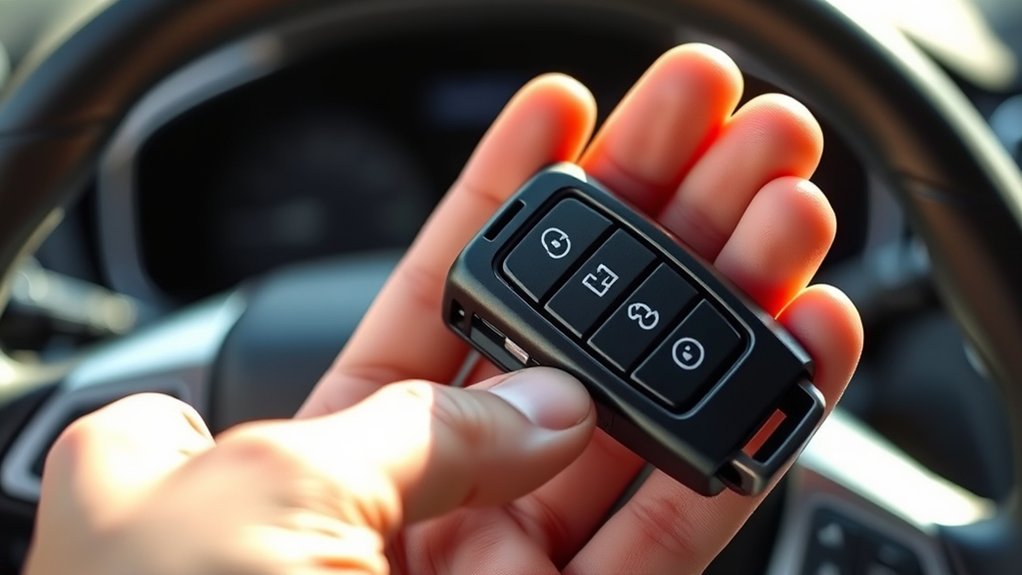
After you swap the battery, you may need to resync the Ford key fob if it starts unfastening the doors but won’t operate the full remote functions. First, check that you installed the correct battery types and matched the polarity exactly.
If the fob still responds weakly, replace the cell again with a fresh, compatible one. Then stand near the vehicle, press lock and unlock several times, and test every button. A brief reprogramming usually restores communication after power loss.
If your model has new features, such as remote start or liftgate control, verify each function separately. Keep the spare fob nearby in case the primary unit still fails. If the signals remain inconsistent, inspect the contacts or seek dealer support.
How Ford Key Fob Programming Works
Ford key fob programming works by syncing the fob’s coded signal with the vehicle’s body control module or immobilizer system, depending on the model. You trigger a learning mode, then your Ford stores the fob’s ID and assigns it to your car.
Ford key fob programming syncs your fob’s signal with the vehicle’s system, creating a trusted digital match.
When you press a button later, the fob sends a low-power radio code that the truck or SUV verifies before unlocking or starting.
- Picture the fob as a small transmitter in your palm.
- Picture the vehicle’s receiver as a locked gate reading a badge.
- Picture battery chemistry powering each pulse while car aesthetics stay clean and factory-correct.
You’re not changing the keys mechanically; you’re updating digital trust. Once paired, the system recognizes the fob quickly and keeps daily use simple, secure, and predictable.
When Ford Key Fob Programming Won’t Work
If your Ford key fob won’t program, first check the battery in both the fob and the vehicle, because low power can stop the pairing sequence.
You also need to follow the ignition cycle exactly, since an incorrect timing step can cancel the programming mode.
If the system still rejects the fob, the vehicle may be in a lockout state and you’ll need to wait or reset before trying again.
Dead Battery Issues
When the key fob won’t program, a weak or dead battery is often the first thing to check. You should test the battery voltage with a meter, then replace it if it’s low. A fresh coin cell restores signal strength and prevents intermittent response.
If the fob still fails, inspect the contacts for corrosion or looseness. A damaged case can also reduce power delivery, making key fob replacement the practical fix.
- A dim LED on the fob
- A corroded battery terminal
- A shell that won’t close tightly
Use the correct battery type for your Ford model, and seat it firmly. After replacement, retry programming with the fob close to the vehicle.
Ignition Cycle Errors
A fresh battery should restore normal response, but a failed programming attempt often comes down to an incorrect ignition cycle. You need to turn the key or push-button ignition exactly as Ford specifies, then pause for the required seconds before each repeat.
If you rush, skip a step, or release the ignition too soon, the fob won’t enter programming mode. Think of the sequence like keyboard shortcuts: one missed input breaks the command. Use a stopwatch, not guesswork.
Keep all doors closed, seat belt unbuckled, and accessories off so you don’t add electrical noise. If you’re testing multiple fobs, label them and work methodically.
This careful routine acts like burnout insurance, preventing wasted time and repeated failures during setup.
System Lockout Problems
How do you know the system has locked you out? You’ll see rapid flashes, a chime, or no response after repeated programming attempts. Ford modules often suspend entry after too many failed cycles, so stop and wait 10 to 30 minutes before trying again.
Check battery voltage, all doors, and the correct key sequence. If the lockout persists, scan for body control faults or a dead transceiver.
- Dashboard lights blink, but the fob won’t register.
- The ignition accepts the key, then rejects programming.
- The door locks cycle, then freeze.
Reset your approach, not the vehicle. If your car insurance claim involves theft, or your motorcycle licensing paperwork uses the same key ring, keep records and confirm ownership before contacting a dealer.
Find Help for Ford Key Fob Programming
If your Ford key fob won’t program with the standard steps, check your owner’s manual for model-specific instructions and verify the vehicle battery and fob battery are both in good condition. If it still fails, contact a Ford dealer or automotive locksmith with Ford diagnostic tools. They can scan for faults, confirm security access, and reprogram keys faster than trial and error.
Tech innovations in automotive design have made many fobs more secure, but they also limit DIY fixes.
| Help source | Best use | Result |
|---|---|---|
| Owner’s manual | Steps | Model match |
| Dealer | Diagnostics | Reprogramming |
| Locksmith | Emergency | Key access |
Bring proof of ownership and your VIN. That saves time and helps you avoid delays, repeated lockouts, and unnecessary replacement parts.
Frequently Asked Questions
How Much Does Ford Key Fob Programming Cost?
Ford key fob programming cost usually runs $50 to $150, depending on your model and dealer. You’ll pay more if you need key fob replacement, since parts, cutting, and calibration can raise the total quickly.
Can I Program a Used Ford Key Fob?
Yes, you can sometimes program a used Ford key fob if it’s compatible and unpaired. You’ll need to test reused fob troubleshooting steps and expect aftermarket programming challenges, especially with immobilizer systems or locked units.
Which Ford Models Use the Same Key Fob?
You’ll usually see one fob design across several Ford key fob compatibility families, like Focus, Fusion, Escape, and Explorer; like matching house keys, one cut can fit multiple locks, but Programming pitfalls still trip you up.
Do Ford Key Fobs Need Dealer Programming?
Not always; you can often program keyless entry fobs yourself, but you may need dealer help for immobilizer compatibility or if your model requires security access.
Check your owner’s manual and test every function afterward.
How Long Does a Ford Key Fob Battery Last?
Your Ford key fob battery usually lasts 2 to 4 years, depending on use. Watch battery life, follow replacement tips, check compatibility notes, and avoid programming pitfalls when you swap cells to keep remote functions reliable.
Conclusion
If you follow the steps carefully, you can program your Ford key fob quickly and get back on the road. Keep the right fob, fresh batteries, and a quiet workspace handy, and the process should go smoothly.
If the programming sequence still fails, don’t force it—check your owner’s manual or contact a dealer. A small mistake can throw the whole system off, so treat the steps like a lock-and-key puzzle, not a guessing game.
By paying close attention and following the instructions, you will successfully program your Ford key fob without any hassle.


